Top 5 Privacy Settings to Secure Your Bluesky Account
Last updated: June 16, 2026
Bluesky is public by design. That is the first privacy setting to understand.
You can reduce noise, protect your login, and avoid handing too much access to third-party apps. You cannot turn Bluesky into a private Instagram account.
Start with these five checks:
- Treat profile, posts, likes, follows, and blocks as public signals.
- Use reply controls before a post attracts the wrong crowd.
- Review mutes, blocks, and moderation lists.
- Use app passwords or OAuth carefully for third-party tools.
- Clean up old followings and connected apps on a schedule.
How to change privacy settings on Bluesky
Bluesky Privacy Settings Overview
Bluesky gives you moderation and interaction controls. It does not give you full account privacy.
Basic Privacy Controls
Content visibility: The official Bluesky data privacy help page explains that many account actions are public. Assume posts, reposts, likes, follows, current profile information, and blocks can be seen or indexed.
Interaction controls: You can limit replies, mute accounts, block accounts, and use moderation lists. These controls shape your experience and reduce unwanted interaction.
What Privacy Settings Can't Do
They cannot make the account private. If you need a closed friend network, Bluesky is the wrong tool.
They cannot erase every copy of old public data. Public networks are crawled, indexed, quoted, archived, and cached. Delete mistakes quickly, but do not publish anything you would only be comfortable sharing in a private channel.
They cannot stop every third-party view. Bluesky is built on an open protocol. Public data can appear in clients, custom feeds, search tools, and analytics tools.
With these tools and limitations in mind, let's explore the top five settings to better secure your Bluesky account.
5 key privacy settings for your account
Follow these steps to protect the parts you can control.
1. Audit What Your Public Profile Says
Your profile is the easiest privacy leak to miss. Review:
- display name
- handle
- avatar
- bio
- pinned post
- location hints
- employer or client names
- personal links
If the account is for public work, make the bio useful and low-risk. If the account is personal, remove details that make you easy to triangulate.
2. Use Reply Controls Before You Need Them
Reply controls are easier to set before a post spreads.
For sensitive posts, restrict replies to:
- people you follow
- mentioned users
- followers
- no one, when the post is purely informational
The right choice depends on the post. A product update can usually allow replies. A moderation note, personal update, or contentious topic may need tighter defaults.
3. Review Mutes, Blocks, and Lists
Bluesky lists have different purposes. The official user lists documentation separates curatelist from modlist:
curatelistis for list feeds and interaction gating.modlistis for muting or blocking accounts.
The same docs note that list mutes are private, while list blocks are block records. That distinction matters.
Use moderation lists deliberately. Do not copy someone else's block list without reviewing it. A shared moderation list can save time, but it still applies your account's judgment.
4. Use App Passwords and OAuth Carefully
When a third-party Bluesky tool needs account access, avoid sharing your main password.
Bluesky's developer docs still show app passwords for password-based app login flows, while the AT Protocol team has been moving toward OAuth as the primary authorization model.
Practical rule:
- Use OAuth when the app supports it.
- Use an app password when OAuth is not available and you trust the tool.
- Revoke old app access you no longer use.
- Do not reuse app passwords across tools.
- Never paste your main account password into a random web tool.
5. Clean Up Followings and Connected Workflows
A messy following list is not only a feed-quality problem. It is also an attention and trust problem. Old accounts, abandoned projects, and accidental follows can shape what you see and who you interact with.
Use TheBlue.social's Clean Up Followings when you want to review your Bluesky followings by name, bio, and mutual status before taking bulk action. The tool requires a connected Bluesky account because it acts on your follow graph. It does not make your account private or hide public Bluesky data.
Important Privacy Considerations
Keep these distinctions straight:
- Muting reduces what you see.
- Blocking is more visible and more forceful.
- Moderation lists are for group-level muting or blocking.
- App passwords reduce main-password exposure, but they still grant access.
- Public posts and public graph data can be used outside the official app.
The safest Bluesky privacy habit is boring: publish less sensitive information, review settings and app access regularly, and assume public actions are public.
Where TheBlue.social Fits
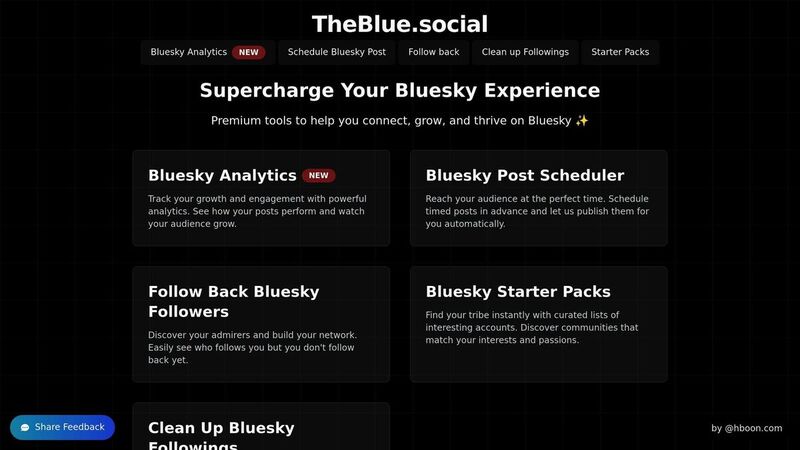
TheBlue.social is not a Bluesky privacy settings dashboard. It does not change Bluesky's public data model.
It helps around the edges of account hygiene:
- Clean Up Followings helps you review and trim who you follow.
- Follow Back helps you decide who to follow back instead of blindly reciprocating.
- Bluesky Analytics helps you understand which posts and timing patterns are working.
- Copy Bluesky List and moderation-list tools help you review list membership before creating your own version.
That is the useful framing: better review, cleaner decisions, less manual work. Not secrecy.
Conclusion
Secure a Bluesky account by being honest about the platform.
It is public. It is open. Third-party tools can work with public data. That is useful, and it also changes the privacy posture.
Review your profile, tighten replies when needed, use moderation tools carefully, connect third-party apps with the least access that works, and clean up old followings before they keep shaping your feed.