5 Tools for Bluesky Following Cleanup
Last updated: October 5, 2026
TheBlue.social helps you review followings by name, handle, bio, and non-mutual status. It does not filter by last-post date. If you want an inactivity check, use a tool that documents activity filters, then inspect the accounts before unfollowing.
The right cleanup tool should help you review before acting. Bulk unfollow is powerful, but a bad bulk action is still a bad action.
These five options cover different review jobs.
- TheBlue.social - review your Bluesky followings by name, handle, bio, and non-mutual status.
- cleanfollow-bsky - select inactive or blocked accounts to unfollow.
- Tracker - a mobile-focused Bluesky follower and following manager.
- Byesky - a simple batch-unfollow tool.
- Bluesky - review profiles and unfollow one account at a time in the native app.
Quick Comparison
| Tool | Documented cleanup option | Review boundary |
|---|---|---|
| TheBlue.social | Name, handle, bio, and non-mutual filters | Review the fetched batch, select accounts, confirm unfollowing |
| cleanfollow-bsky | Inactive or blocked account selection | Check its candidates before removing them |
| Tracker | Activity filters, bulk unfollow, and Fix Followings | Inspect filtered profiles and action selection |
| Byesky | Unfollow All or Unfollow Non-Mutuals | Lock accounts you want to keep before using either action |
| Bluesky | Individual profile unfollow | Review each profile in the native app |
A Bluesky analytics and follower-tracking launch teaser
1. TheBlue.social
TheBlue.social is the best fit when you want cleanup to sit beside the rest of your Bluesky workflow.
The Clean Up Followings tool lets you review accounts you follow, filter by name, handle, or bio, and show non-mutuals before unfollowing.
- Sign in with email, then connect and select your Bluesky account.
- Fetch a batch of followings in Clean Up Followings.
- Filter by name, handle, or bio; enable Show non-mutuals only if that matches your review.
- Open uncertain profiles and select only the accounts you want to unfollow.
- Read the confirmation count, confirm the action, and inspect any failures before retrying.
Use the keep, mute, or unfollow checklist when the decision is unclear. Muting happens in Bluesky.
TheBlue also has Follow Back, Bluesky Analytics, starter pack discovery, and scheduling.
That makes it more useful if cleanup is one part of a larger Bluesky publishing routine.
TheBlue requires a connected Bluesky account because it reads and acts on your follow graph. Use the same common-sense rule you would use with any account tool. Understand the access, review the filtered list, and avoid bulk action when you are tired or rushing.
2. cleanfollow-bsky
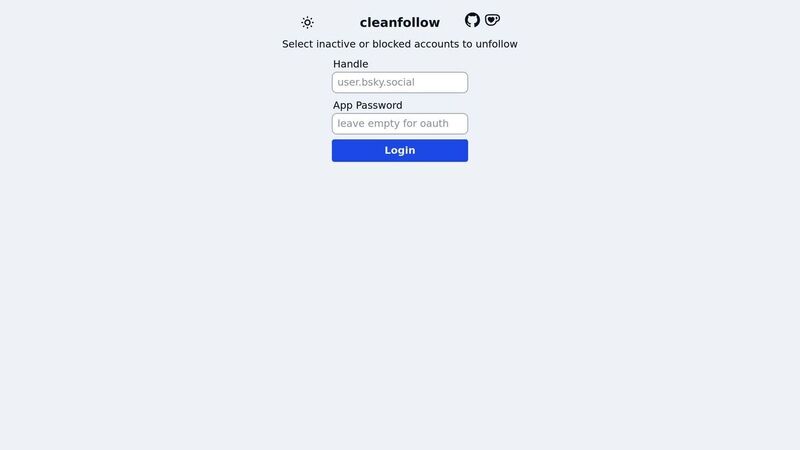
The cleanfollow-bsky page describes selecting inactive or blocked accounts to unfollow. It does not explain an inactivity threshold on the public page. Check how the current tool identifies candidates before relying on that label.
Identifying Inactive Accounts
Inactive does not always mean worthless. Some researchers, artists, and developers post rarely but are still worth following. Use inactivity as a sorting hint, not a final verdict.
Review candidates before unfollowing
After identifying candidates, review them in groups. Keep accounts that still match why you followed them. Remove the ones that clearly no longer fit.
Before using any third-party tool, check what account access it asks for and whether you are comfortable with that access.
Bluesky's rate limit docs are also worth knowing if you are doing large cleanup jobs.
3. Tracker
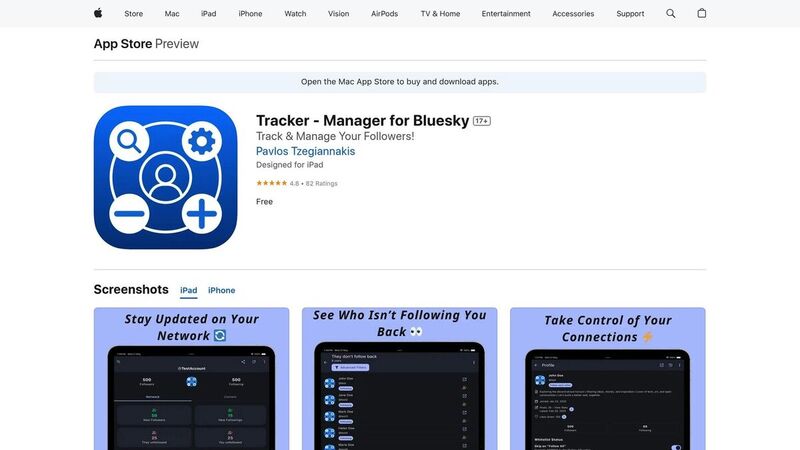
Tracker is a mobile app for people who want to manage followers and followings from a phone. That matters if you do most social maintenance while away from a desktop.
Documented filters and actions
Tracker's developer listing describes keyword and activity filters, bulk follow/unfollow, charts, and reports. Its Fix Followings action targets deleted, suspended, or blocked accounts.
Activity filters can help find candidates. Check the available filter controls in the current app and read profiles before selecting a group.
Mobile cleanup is convenient, but it is easy to rush. Review the selected accounts before confirming an unfollow.
4. Byesky
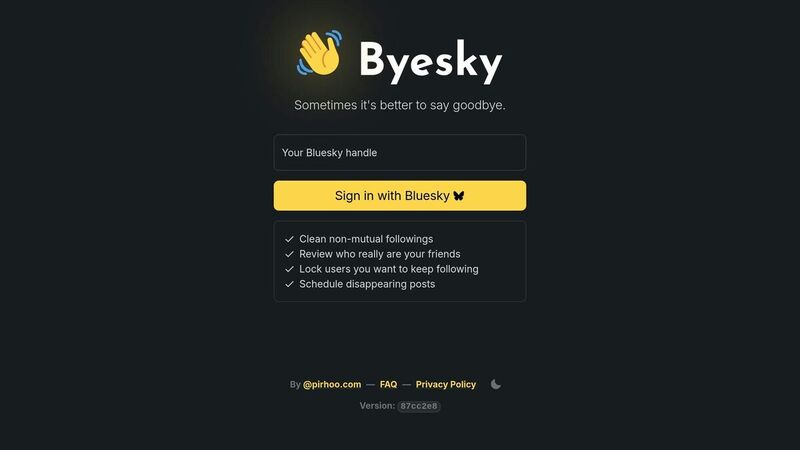
Byesky's FAQ documents Unfollow All and Unfollow Non-Mutuals. Review followings and lock the accounts you want to keep first; locked accounts are excluded from those actions.
These actions can remove a large group. A non-mutual relationship alone does not tell you whether the account is useful.
5. Bluesky
For a small cleanup, open an account's profile in Bluesky, read its posts, and unfollow it if the reason for following is gone. Use mute when you still want the connection but need less noise. Bluesky's moderation guide explains muting.
Individual review takes more clicking, but it gives you the context for each decision. The official following tutorial explains how follow and unfollow actions work underneath.
Conclusion
Cleanup tools can turn hours of manual review into a shorter pass. They should still leave judgment with you.
Before unfollowing in bulk, decide what the feed is for.
Is it for industry news, friends, customers, local politics, art, or product builders? The answer decides what stays.
For a Bluesky-first workflow, start with TheBlue.social Clean Up Followings.
For a few accounts, native profile review may be enough. For larger lists, use filters to find candidates and keep the decisions small.
FAQs
What should I consider when choosing a tool to clean up my Bluesky following list?
When picking a cleanup tool, look for review controls first.
- filtering by name or bio
- mutual-status checks
- inactivity or recent-post clues
- whitelist or exclusion support
- clear final confirmation before bulk action
- understandable account access
The right tool depends on the job. You might want to reduce clutter, find non-mutual follows, remove old event accounts, or rebuild your feed around a new topic.
What are the advantages of using TheBlue.social for cleaning up your Bluesky following list?
Using TheBlue.social is useful when you want cleanup inside a broader Bluesky workflow.
You can filter followings, review mutual status, and use bulk actions after narrowing the list.
Then you can use nearby tools for follow-back review, Bluesky analytics, starter-pack discovery, and cross-posting.
How do these tools keep my Bluesky account secure through API compliance?
Do not outsource that decision to a roundup.
Before connecting any third-party tool, check what it asks for, how it authenticates, and whether it gives you a chance to review changes before writing them.
Bluesky's rate limit documentation is also useful if you manage a large account.