Bluesky Hashtag Testing Tools: Top Picks
Testing hashtags on Bluesky is crucial for boosting engagement since hashtags are the primary way to get discovered on the platform. Unlike other social networks, Bluesky doesn’t rely on centralized algorithms, so using the right hashtags directly impacts your visibility and interaction. Here’s what you need to know:
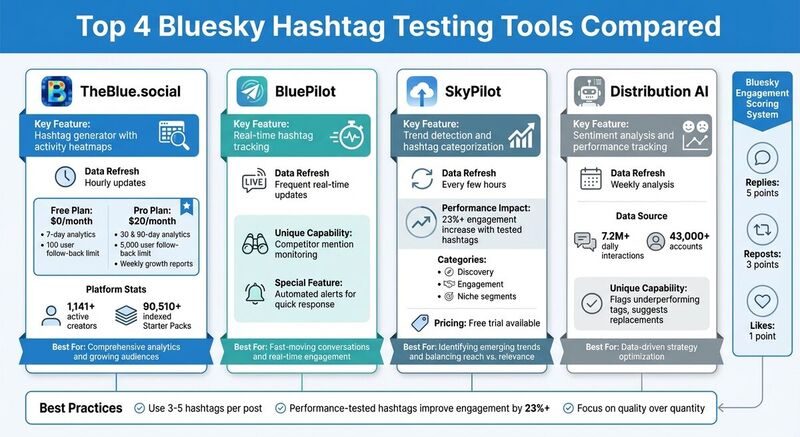
- Why Test Hashtags? Performance-tested hashtags can improve engagement by over 23%. Bluesky scores engagement based on replies (5 points), reposts (3 points), and likes (1 point).
- Best Practices: Use 3–5 relevant hashtags per post to avoid being seen as spammy. Focus on quality over quantity.
- Top Tools for Testing:
- TheBlue.social: Offers a free hashtag generator, activity heatmaps, and analytics. Pro plan costs $20/month for advanced features.
- BluePilot: Tracks hashtags in real time and links them to engagement metrics.
- SkyPilot: Focuses on trend detection and categorizes hashtags for better targeting.
- Distribution AI: Analyzes sentiment and performance trends weekly.
For manual testing, use Bluesky’s search function to identify high-performing hashtags, track follower growth, and adjust your strategy weekly. Whether you rely on tools or manual methods, consistently refining your hashtag use is key to connecting with the right audience.
Best Tools for Testing Bluesky Hashtags
When it comes to perfecting your Bluesky hashtag strategy, having the right tools can make all the difference. These platforms take the guesswork out of the equation, offering actionable insights to help you refine your approach and boost engagement.
1. TheBlue.social Hashtag Generator
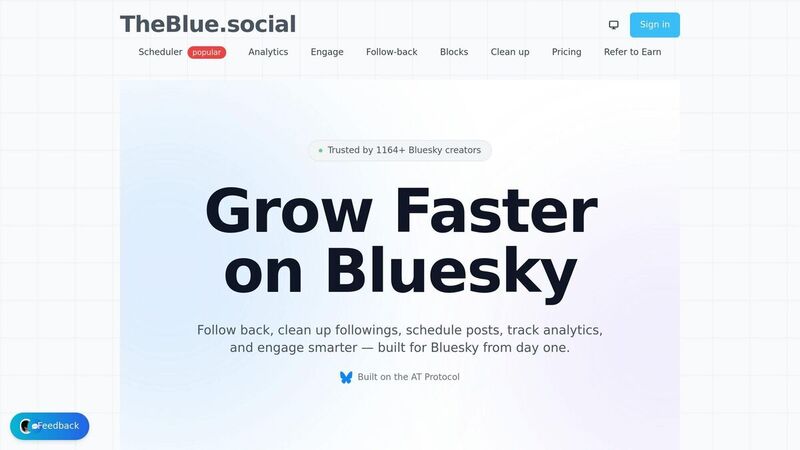
TheBlue.social's free hashtag generator is a powerful tool for creating and analyzing hashtags. It syncs with real-time Bluesky Analytics, updating hourly to show which hashtags are driving likes, replies, reposts, and quotes.
This platform already supports over 1,141 active creators and has indexed more than 90,510 Starter Packs. Users post an average of 82.7 times each, making it a rich data source for hashtag insights. One standout feature is the activity heatmap, which identifies the best times to post for maximum visibility. As OZOzy, a user of the platform, shared:
It's a user-friendly app with robust statistics and auto-posting features [4].
TheBlue.social offers two plans:
- Free plan: Includes 7-day analytics and a follow-back manager for up to 100 users.
- Pro plan: At $20/month, it adds 30- and 90-day analytics, increases the follow-back limit to 5,000 users, and provides weekly growth reports via email, highlighting which hashtags and posts drove engagement.
If you're looking for a tool with a broad feature set, this is a great place to start.
2. BluePilot Analytics Dashboard
BluePilot focuses on real-time hashtag tracking, refreshing data frequently to stay on top of fast-moving conversations. Its dashboard ties engagement metrics to specific hashtags, giving you a clear picture of what’s working. It also monitors mentions of competitors, helping you spot opportunities to join relevant discussions. As BluePilot emphasizes:
On Bluesky, conversations move fast, and opportunities don't wait... real-time keyword monitoring is a game-changer [6].
You can even set up automated alerts to respond quickly, which is great for building trust and staying relevant in your audience’s eyes.
3. SkyPilot Hashtag Analysis Tool
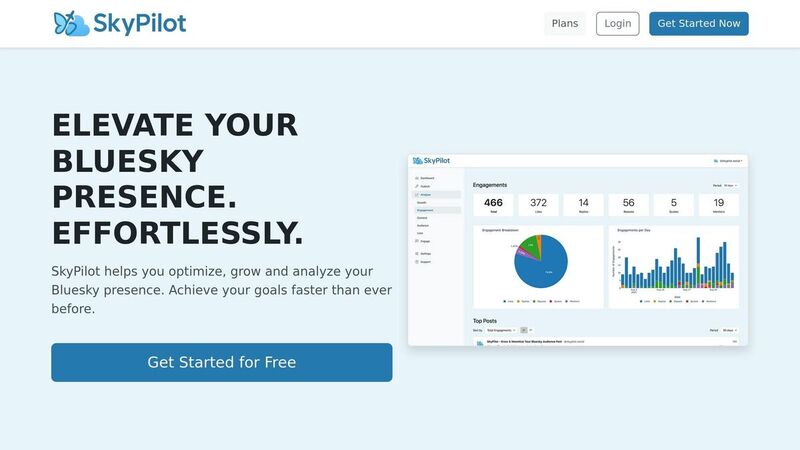
SkyPilot is designed to help you identify trends and fine-tune your hashtag campaigns. It tracks hashtag growth in real-time, detecting emerging topics every few hours. According to the platform, using performance-tested hashtags can increase engagement by over 23% [3].
SkyPilot also categorizes hashtags into discovery, engagement, and niche segments, making it easier to balance reach and relevance. New users can explore the tool through a free trial before making a commitment.
4. Distribution AI's Hashtag Tracking Features
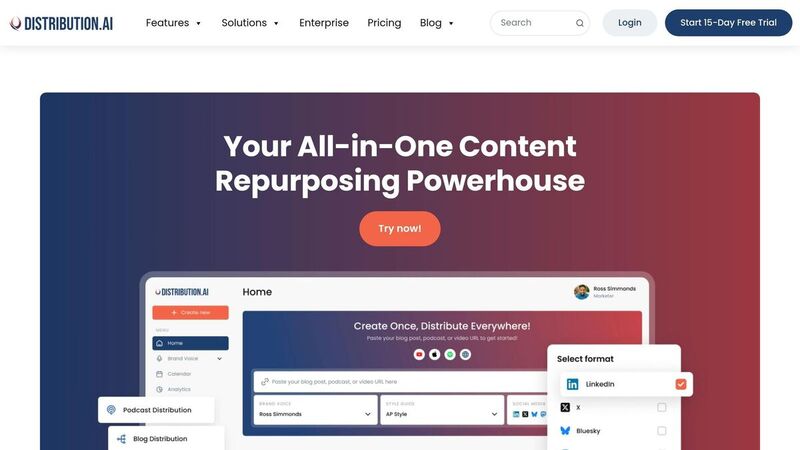
Distribution AI takes a slightly different approach by analyzing hashtag performance on a weekly basis. It flags tags that are losing traction and assesses sentiment around them, helping you adjust your strategy to stay effective. With insights drawn from over 7.2 million daily interactions and data from more than 43,000 accounts [3], Distribution AI provides actionable recommendations. For example, if a hashtag isn’t performing well, it suggests adding 1–2 new hashtags to test without overwhelming your audience.
Given Bluesky’s ad-free environment, smart hashtag use is a key growth strategy, and Distribution AI’s data-driven approach ensures your efforts are optimized.
Each of these tools offers a unique way to test and refine your Bluesky hashtags, helping you connect with your audience more effectively.
How to Test Hashtags Manually on Bluesky
Testing hashtags manually on Bluesky is a straightforward process using the platform's built-in tools. These methods give you a direct way to refine your hashtag strategy alongside automated tools.
Using Bluesky's Search Function
Start by typing a hashtag into Bluesky's search bar and focus on posts that generate high interaction, especially those with replies and quote posts. As SocialRails explains:
"Bluesky hashtags are designed for community discovery, not algorithmic gaming. Quality engagement matters more than hashtag quantity." [1]
Search for influencers in your niche and take note of the 3–5 hashtags they consistently use. Make sure these tags align with Bluesky's focus on inclusivity and meaningful participation. If you’re considering a trending hashtag, double-check that it’s relevant to your content before using it.
For a simple A/B test, post similar content with different sets of hashtags. Compare the replies and quote posts for each to see which combination generates more conversation. Keep track of these results to improve your testing approach.
Tracking Follower Growth and Engagement
Once you identify promising hashtags, measure their impact by tracking engagement metrics. Start by noting your follower count before posting and check again after a few days to see if your hashtags are attracting new audiences. For individual posts, monitor likes, reposts, replies, and quotes. Some Bluesky tracking tools suggest assigning points to these metrics - for example, 1 point for likes, 3 points for reposts, and 5 points for comments - to estimate engagement levels [2].
Use a simple spreadsheet to log when your hashtagged posts receive the most interaction, including details like the time of day and day of the week. Over time, you can create your own "heatmap" of activity to identify patterns. Review weekly to determine which hashtags are driving new followers and engagement.
Adjusting Your Hashtag Strategy
Analyzing your data regularly allows you to fine-tune your hashtag use. Evaluate your performance every seven days. If a hashtag repeatedly fails to generate replies or attract followers, replace it with one that’s more niche-specific. Stick to a concise set of 3–5 hashtags, as overusing them can come across as spammy [1].
Try mixing different types of hashtags in your posts. For example:
- Community-focused tags: like #mutualaid
- Discourse-building tags: like #perspectives
- Value-driven tags: like #ethics
Engage with posts that use the hashtags you’re testing. This helps you confirm whether the tags are genuinely relevant to the community. If you’re getting thoughtful replies and building connections, keep those hashtags in rotation. If not, it’s time to experiment with new ones.
Tool Comparison: Features and Pricing
 When deciding on the best tool to test your Bluesky hashtags, it's important to consider your budget, data requirements, and long-term goals. TheBlue.social provides a flexible freemium platform that supports both simple A/B testing and in-depth analytics. Below, you'll find a breakdown of its features and pricing to help you make an informed choice.
Comparison Table: Features, Metrics, and Pricing
| Plan | Analytics Window | Follow Back Limit | Pricing | Best For |
|---|---|---|---|---|
| Free | 7 days | Up to 100 users | $0/month | Quick hashtag tests and small-scale usage |
| Pro | 90 days | Up to 2,000 users | $20/month | Detailed analytics and growing audiences |
The Free plan is perfect for quick experiments, offering a 7-day analytics window and support for up to 100 follows. On the other hand, the Pro plan is tailored for more advanced needs, providing a 90-day analytics window, support for up to 2,000 follows, and priority customer support - all for $20/month.
With over 1,141 active creators and analytics that refresh several times an hour (similar to the real-time Bluesky Stats dashboard) [4][5], TheBlue.social is designed to enhance your hashtag strategies effectively.
Bluesky creator DWDwander shared their experience:
I just used @theblue.social to follow-back my followers on Bluesky! THE EASIEST way to follow back. [4]
For larger audiences or a more refined approach to hashtags, the Pro plan offers the tools and insights necessary for consistent growth and better engagement.
Conclusion
Hashtag testing is simple, cost-effective, and can make a big difference in how you engage with your audience. The strategies and tools mentioned here give you a solid foundation to identify hashtags that boost interaction and connect you with the right communities. Whether you’re using real-time trending dashboards, AI-powered tools, or manual research, the focus should always be on quality over quantity.
Start with TheBlue.social's free hashtag generator for platform-specific suggestions. Combine it with their free plan's 7-day analytics feature to track which hashtags align with follower growth and meaningful engagement. As creator OZOzy06 shared:
You can enter this link and follow/unfollow people with a single click. It's an extremely comfortable app. It has statistics, auto-posting features, etc. [4]
Experiment with different combinations of hashtags and use engagement heatmaps to fine-tune your approach based on weekly growth data. Keep refining your strategy based on what the numbers show. On Bluesky, genuine participation within communities is far more effective than trying to game the system.
With over 1,164 active creators already trusting the platform [4] and analytics refreshing multiple times an hour [5], Bluesky provides the insights needed to make smart, data-driven decisions. Whether you stick with the free plan for quick testing or upgrade to the Pro plan for deeper historical insights, you’ll have the tools to turn hashtag testing into consistent growth.
Start today and take your hashtag strategy on Bluesky to the next level!
FAQs
How do I A/B test hashtags on Bluesky?
Testing hashtags on Bluesky is all about experimenting and analyzing results. Start by creating posts that use different combinations of hashtags. Then, track how each post performs using engagement metrics like visibility and interaction rates.
To make this process easier, you can use analytics tools such as TheBlue.social. These tools help you monitor and compare how your posts perform, giving you a clear picture of which hashtags are driving the most engagement.
By comparing the data from your tests, you can figure out which hashtags work best for your audience. This approach allows you to fine-tune your strategy based on actual insights, not just guesses.
What’s the best way to score Bluesky engagement?
Boosting engagement on Bluesky involves a mix of monitoring your performance, fine-tuning your approach, and staying actively involved with your audience. Start by using analytics tools to keep an eye on metrics like engagement rates, reach, and follower growth. These numbers help you pinpoint what types of posts are striking a chord with your audience.
Timing can also make a difference. Posting during peak activity hours ensures your content has a better chance of being seen. Beyond that, stay engaged by replying to comments, following others back, and using community features to build connections.
Don’t forget the power of hashtags and trending topics. Incorporating these into your posts can amplify your reach and spark more interaction with your audience. Together, these strategies can help you build a more engaged and active presence on Bluesky.
How long should I test a hashtag before switching?
To determine if a hashtag works well on Bluesky, try using it for a few days and monitor its engagement and activity levels. By regularly reviewing its performance, you’ll get a better sense of its impact. Watching trends over time allows you to make more informed decisions before switching things up.
Last updated: March 16, 2026