Event Feedback Tools for Community Building
Last updated: June 7, 2026
Event feedback has two jobs: catch what happened while people still remember it, and give you enough signal to plan the next event.
I would not pick one tool for all of that. Live Q&A, post-event surveys, and social follow-up are different jobs.
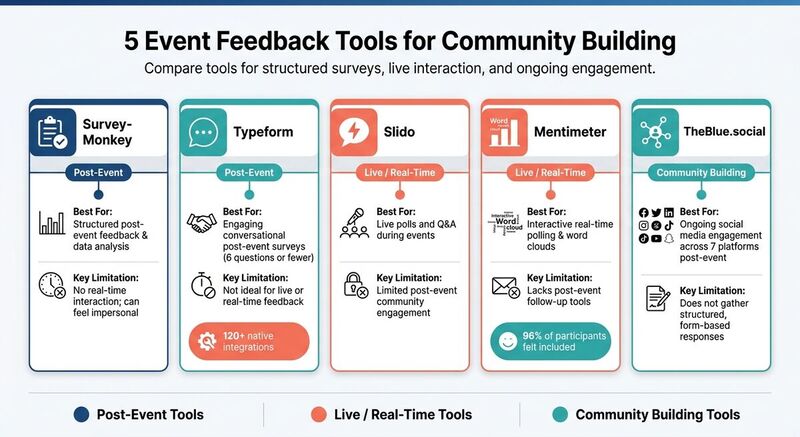
- SurveyMonkey: Good for structured post-event surveys and response analysis.
- Typeform: Best when you want a short survey people will finish.
- Slido: Best for live polls and Q&A inside the event.
- Mentimeter: Good for interactive sessions, word clouds, and quick pulse checks.
- TheBlue.social: Useful after the event, when the goal is to keep discussion going across social platforms.
Quick Comparison
| Tool | Best For | Key Limitation |
|---|---|---|
| SurveyMonkey | Structured post-event feedback | No real-time interaction |
| Typeform | Engaging post-event surveys | Not ideal for live feedback |
| Slido | Live polls and Q&A during events | Limited post-event engagement |
| Mentimeter | Interactive real-time feedback | Lacks tools for post-event follow-up |
| TheBlue.social | Social media-based engagement | Doesn't gather structured responses |
Pick based on the moment you are trying to measure. During the event, use live tools. After the event, use surveys. Between events, use social follow-up and analytics.
1. SurveyMonkey
SurveyMonkey is the safe choice for structured post-event surveys. You can create a survey quickly, share it by email or link, and collect enough responses to compare sessions, speakers, or attendee groups.
One of SurveyMonkey's standout features is its variety of question types. You can combine Likert scales, multiple-choice questions, rankings, and open-ended responses within a single survey. This blend allows you to gather both quantitative data (the "what") and qualitative insights (the "why"), helping you make targeted improvements based on attendee feedback.
Its dashboard is the main reason I would use it. You can filter responses by audience segment and spot patterns without building your own report. If one session keeps getting low networking scores, that is a specific thing to fix next time.
The tradeoff: SurveyMonkey is a general-purpose survey tool [4]. It is not built for live event interaction, so you will not get native live polling or in-session Q&A.
Use it when you need structured post-event feedback. Pair it with a live tool if you also need audience interaction during the event.
2. Typeform
While SurveyMonkey leans into structured data collection, Typeform sets itself apart by making feedback feel engaging and conversational. Its one-question-at-a-time format mimics a natural conversation, helping reduce mental effort for respondents and ensuring a smooth survey experience.
One standout feature is conditional logic. For example, during multi-day events, this feature can direct day-pass holders to session-specific questions while full-event attendees get broader queries. This keeps the survey relevant for everyone and results in cleaner, more targeted data for your team.
You can share surveys in multiple ways - through on-screen QR codes, Zoom chat links, or even embedded follow-up emails. Typeform also connects directly with Zoom, allowing you to automatically redirect attendees to a feedback survey as soon as a virtual session ends. This captures insights while the event is still fresh in their minds.
"Conversational and powerful post-event feedback surveys encourage engagement, responses, and invaluable data that contribute to better future events and more satisfied attendees." - James Thornton, Author [1]
Its AI-powered Smart Insights scans open-ended responses for themes and sentiment. That can save time when you have a lot of free-text answers. Typeform also has 120+ native integrations [1], including Google Sheets, so responses can go straight into the place your team already uses.
Keep the survey short. Six questions or fewer is a good rule if you want people to finish it [3].
3. Slido
Slido combines real-time interaction with structured feedback, making it a useful tool for both live events and post-event analysis.
During events, you can run live polls and Q&A sessions to engage attendees and display results instantly. This allows organizers to identify and address any issues on the spot, ensuring the event stays on track.
For gathering feedback after the event, Slido uses QR code surveys that attendees can access on their mobile devices. Plus, it integrates with Zoom, automatically redirecting participants to a feedback survey as soon as a virtual session ends [1]. This approach captures responses while everything is still fresh in attendees' minds, turning immediate impressions into valuable insights.
Slido's reporting dashboard gives you a useful view of attendee sentiment across sessions. You can see which speakers worked, which topics fell flat, and what to change for the next event [2].
4. Mentimeter
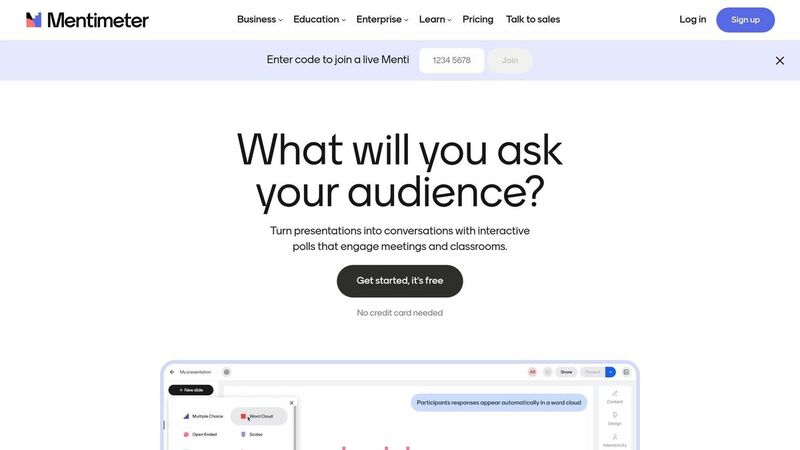
Mentimeter turns feedback into part of the session instead of a form people fill out later. You can use interactive polls, word clouds, and open-ended questions during follow-up sessions.
That works best when you want quick participation, not a formal survey dataset.
A standout feature is anonymous feedback. People are more direct when their name is not attached. That matters for community events, where polite feedback can hide the thing you most need to fix. Mentimeter says 96% of participants felt included in discussions and meetings, and that some organizations doubled feedback survey response rates [5].
Mentimeter also uses AI to group responses into themes. I would treat that as a fast first pass, then read the raw answers before making decisions.
"Mentimeter helps me tailor activities to my students' needs." - Carla el Khoury, Arabic Instructor [5]
The reporting is practical. You can export data to Excel or PDF, and the Trends feature lets you compare engagement and sentiment across multiple events.
5. TheBlue.social
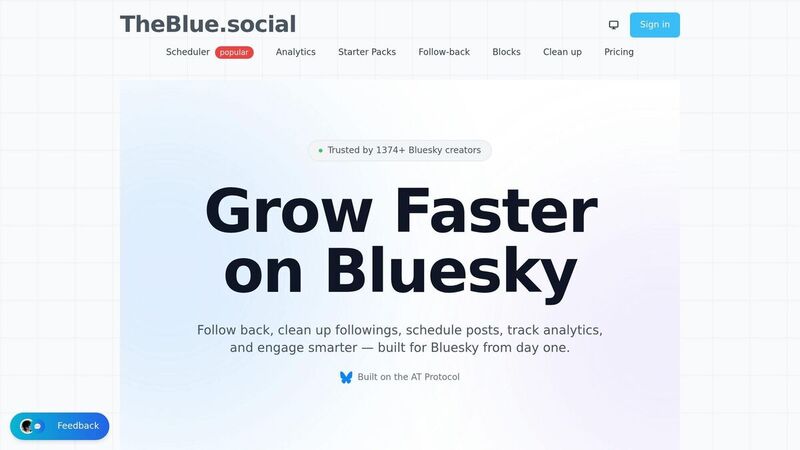
TheBlue.social is not a survey replacement. I would use it for the part that happens after the formal feedback form: recap posts, open-ended questions, clips, follow-up prompts, and tracking which topics keep people talking.
With its cross-posting scheduler, TheBlue.social lets organizers share follow-up content across X, Threads, Instagram, Pinterest, LinkedIn, Bluesky, and Mastodon. For Bluesky-heavy communities, Bluesky Analytics helps track post-event engagement, follower growth, and which follow-up posts get replies.
The platform also includes handy tools like a free hashtag generator and an AI emoji tool to enhance the visibility and engagement of your social media posts.
Use it when your event community already talks on social media and you want the follow-up to happen there too.
Pros and Cons
Here's a quick breakdown of the strengths and limitations of each tool:
| Tool | Primary Strength | Primary Limitation |
|---|---|---|
| SurveyMonkey | Strong data analysis, user-friendly interface, and detailed reporting | Rigid structure may feel impersonal; survey fatigue can lower response rates |
| Typeform | Engaging "one question at a time" format reduces drop-offs; integrates with 120+ platforms like Google Sheets and Zoom | Not ideal for real-time event feedback; best suited for post-event surveys |
| Slido | Live Q&A and upvoting allow attendees to actively participate during sessions | Limited functionality for ongoing community engagement after events |
| Mentimeter | Visual, real-time polling keeps audiences engaged during presentations | Primarily focused on presentations; lacks tools for post-event interactions |
| TheBlue.social | Encourages ongoing conversations across 7 platforms with built-in analytics and scheduling | Not a traditional survey tool; doesn't gather structured, form-based responses |
Each tool stands out for specific use cases, making it easier to align your choice with your event's goals.
When deciding, consider whether your focus is on real-time engagement or long-term interaction. Slido and Mentimeter excel at capturing live feedback and keeping audiences engaged during sessions. However, their utility often ends when the event does. On the other hand, SurveyMonkey and Typeform are better for collecting structured, post-event data, with Typeform's conversational design offering an edge in completion rates.
Then there is TheBlue.social, which handles a different job: keeping the community active between events. It is for follow-up posts, discussion prompts, and tracking what people respond to after the room has cleared.
Conclusion
I would layer these tools instead of trying to force one product to do everything.
Use SurveyMonkey or Typeform for structured post-event feedback. Slido or Mentimeter works better when the audience is still in the session. TheBlue.social fits when you want the discussion to continue on Bluesky, LinkedIn, Threads, or the other platforms your community already uses.
FAQs
How can I combine live feedback with post-event insights?
Use live tools for immediate reactions, then send a short survey after the event. The live layer shows what is happening in the room. The survey gives people time to reflect and tell you what should change.
What questions should I ask to reduce survey fatigue?
Keep questions short and specific. Ask about the most useful part of the event, the weakest session, or one thing attendees would change.
Quick pulse surveys during or right after sessions also work. Simple questions like "What did you enjoy most?" or "What should we improve?" get better answers than a long generic form.
How does TheBlue.social keep attendees engaged between events?
TheBlue.social helps with follow-up posts across platforms like X, Threads, Instagram, LinkedIn, Bluesky, and Mastodon. You can schedule recap posts, ask follow-up questions, and use analytics to see which topics still get replies after the event.