How to Schedule Instagram Stories for Engagement
Last updated: November 22, 2025
Scheduling Instagram Stories can save time, increase engagement, and ensure consistent posting. With over 500 million daily users engaging with Stories, this feature offers brands a powerful way to connect with audiences. Scheduling tools let you post at optimal times, boosting views and interactions by up to 30%. Here’s how to get started:
- Switch to a Business or Creator Account: Access scheduling features by upgrading your account type.
- Use Scheduling Tools: Platforms like Meta Business Suite or TheBlue.social simplify scheduling and cross-platform management.
- Prepare Content: Optimize visuals (1080×1920 resolution), add captions, and ensure accessibility with alt text.
- Leverage Interactive Features: Use polls, questions, and quizzes to encourage audience participation.
- Analyze Performance: Track metrics like views and replies to refine your strategy.
Scheduling doesn’t just save time - it helps you stay consistent and reach your audience when they’re most active. Tools like TheBlue.social also offer extras like hashtag generators and analytics to improve your results further.
Schedule INSTAGRAM STORIES ⏰
Setting Up Instagram Story Scheduling
Getting your Instagram account ready for story scheduling involves three simple steps. These steps ensure you can take full advantage of scheduling tools and maintain a consistent posting routine.
Switch to a Business or Creator Account
If you want access to scheduling features, you'll need to switch to either a Business or Creator account. Personal accounts don’t support native scheduling tools or most third-party platforms. This restriction exists because Instagram reserves advanced tools like analytics and API integrations for professional users.
Switching your account type is free and straightforward. Open Instagram, tap the menu icon, navigate to Settings > Account, and select Switch to Professional Account.
You’ll then choose between a Business or Creator account. Business accounts are ideal for companies, brands, or services, while Creator accounts cater to influencers, artists, and content creators. Both options offer the same scheduling features, so pick the one that aligns with your needs.
Once you've selected a category, you can connect your Instagram account to a Facebook Page for seamless integration with Meta Business Suite.
Connect Instagram to a Scheduling Tool
The next step is linking your account to a scheduling tool. Meta Business Suite is Instagram’s free native option, designed to work directly with Business and Creator accounts. If you're managing multiple platforms, tools like TheBlue.social offer cross-posting for Instagram, Twitter, Threads, Pinterest, Bluesky, and Mastodon.
To use Meta Business Suite, download the app or access it via its website. Log in with your Facebook credentials (the same ones linked to your Instagram account). The platform will automatically detect your connected Instagram account and guide you through the setup.
For those managing multiple social platforms, TheBlue.social simplifies the process by letting you handle everything from one dashboard. To connect, create an account and authorize access through Instagram’s secure OAuth process.
Grant Required Permissions
When connecting your Instagram account to a scheduling tool, you'll need to grant certain permissions. These permissions allow the tool to manage your content and access performance data.
Key permissions include:
- Content publishing: Enables automatic posting of Stories.
- Account management: Provides access to your profile information.
- Analytics access: Tracks engagement and performance metrics.
Some tools may also ask for additional permissions, like managing comments or direct messages. Be sure to review these requests carefully and only approve features you plan to use. If needed, permissions can be adjusted later in your Instagram account settings.
Once permissions are granted, test the connection by scheduling a simple Story for a few minutes ahead. This quick test ensures everything is set up correctly before you dive into full-scale scheduling.
Lastly, keep your scheduling tools updated. Instagram frequently updates its API and policies, and using the latest version of your tools ensures compatibility and access to new features.
With everything in place, you're ready to start scheduling your Instagram Stories and maintaining a consistent online presence.
How to Schedule Instagram Stories
Once your account is set up, the next step is to schedule your Instagram Stories efficiently. The method you choose will depend on your workflow and preferences, so pick the approach that aligns best with your needs.
Schedule Stories with Meta Business Suite
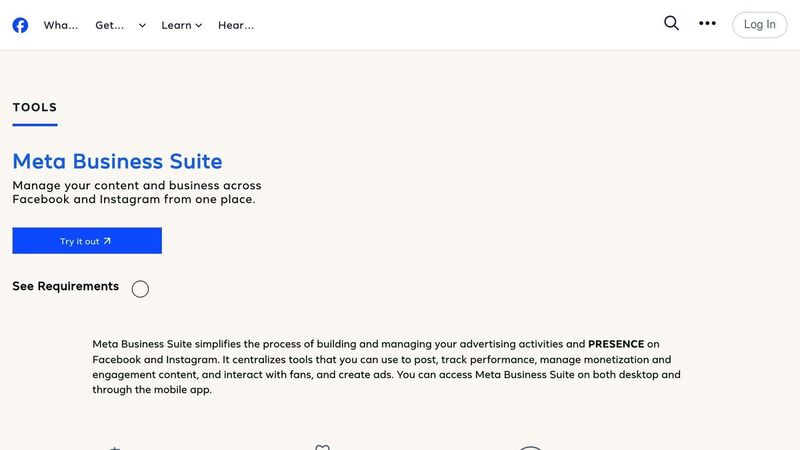
Meta Business Suite offers a simple way to schedule Instagram Stories directly through Instagram’s native platform. Here’s how it works:
- Log in and head to the Planner section.
- Click on Create Story.
- Upload your 9:16 media (1080×1920 resolution), add any text overlays, and set your desired publish time.
- Hit Schedule, and the platform will automatically post your Story at the scheduled time - no manual input required.
Keep in mind, though, that Meta Business Suite doesn’t allow interactive elements like polls, hashtags, mentions, or links in scheduled Stories. If these features are essential to your strategy, you may need to explore other tools.
Use Third-Party Scheduling Tools
Third-party platforms can provide more flexibility and advanced options for managing Instagram Stories. For example, TheBlue.social offers a robust cross-platform scheduling solution from a single dashboard.
To get started with TheBlue.social:
- Create an account and securely connect your Instagram profile via the OAuth process.
- Use the scheduling interface to upload your Story content, set publication times, and manage your content calendar.
- Many tools, including TheBlue.social, also support batch scheduling, allowing you to plan multiple Stories at once and save time.
These platforms often include additional features that make them ideal for businesses or creators managing a high volume of content.
Prepare Your Story Content
Once you’ve chosen your scheduling method, focus on optimizing your Story content for both technical accuracy and visual appeal. Here are a few key steps:
- Technical Requirements: Use JPEG or PNG files for images (1080×1920 pixels) and MP4 or MOV files for videos (under 15 seconds each).
- Design Considerations: Avoid placing important elements at the top or bottom of the screen, as they might be obscured by profile icons or action buttons. Use high-contrast text colors to ensure readability across different devices and lighting conditions.
- Accessibility: Add alt text to your images for a more inclusive experience. Platforms like TheBlue.social even offer free tools to generate alt text. For videos, include captions and avoid using rapidly flashing visuals to make your content accessible to a wider audience.
If interactive features like polls, questions, or stickers are part of your strategy, ensure you’re using a scheduling tool that supports them. Plan these elements thoughtfully to encourage audience engagement.
Finally, before uploading your content to your chosen platform, review everything for brand consistency and export it in the correct formats. This final check ensures your Stories look polished and professional when they go live.
Tips for Better Story Engagement
Getting more people to interact with your Instagram Stories takes more than just posting regularly. It’s about knowing when your audience is online, what catches their attention, and how to fine-tune your approach using data.
Post at the Right Times
Timing is everything when it comes to Instagram Stories. For audiences in the U.S., the best times are typically 7–9 AM, 11 AM–1 PM, and 7–9 PM on weekdays [3]. Stories posted between 9–11 AM or 7–9 PM tend to get the most engagement, but you should adjust based on your specific audience's habits [5].
Instagram Insights can help you figure out when your followers are most active. Check the data by hour and day, then experiment with different posting times to see which slots bring in the most views, replies, and interactions [3]. Once you’ve nailed down the timing, pair your posts with interactive features to take engagement up a notch.
Add Interactive Features
Interactive elements are a game-changer for turning passive viewers into active participants. Features like polls, questions, quizzes, emoji sliders, and countdown stickers can boost engagement rates by up to three times [4].
- Polls: Ask followers to choose between options, like two products or upcoming content ideas.
- Question Stickers: Encourage detailed responses to learn more about your audience’s preferences.
Keep in mind that while scheduling tools simplify content uploads, you’ll need to manually add these interactive features directly in the Instagram app. After scheduling, take a moment to include polls or question stickers to maximize engagement [1][2].
Use Analytics to Improve Results
Perfect timing and interactive features are just the start. To really improve, you need to dig into the numbers. Analytics can help you measure what’s working and what’s not. In fact, using advanced analytics tools can increase engagement rates by as much as 30% [7].
Track metrics like views, replies, sticker taps, link clicks, and completion rates to evaluate performance. Instagram Insights offers basic stats, such as reach, impressions, and interactions, while third-party tools provide more detailed dashboards for tracking multiple metrics [6][7].
Look for patterns in your data. For instance, do Stories with polls consistently outperform static images? Are certain topics generating more replies? Tools like TheBlue.social can give you a broader view of your social media performance across platforms. Regularly reviewing this data will help you refine your content, posting schedule, and use of interactive features for even better results.
Managing Content with TheBlue.social
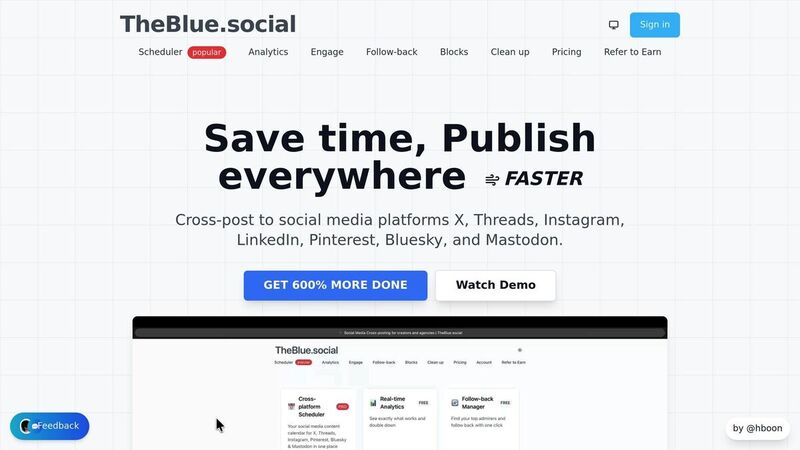
Handling Instagram Stories while juggling content for other social media platforms can feel like a full-time job. That’s where TheBlue.social steps in, offering a streamlined, all-in-one solution for scheduling and managing content. With its centralized dashboard, this platform simplifies the process of organizing and posting across multiple networks, making it easier to stay on top of your social media game.
Cross-Platform Scheduling Features
TheBlue.social’s cross-posting scheduler is a game changer for anyone managing content across platforms like Instagram, X (formerly Twitter), Threads, Pinterest, Bluesky, and Mastodon. Instead of hopping between tools and accounts, you can control everything from one unified dashboard.
This is especially beneficial for social media managers and agencies who handle multiple client accounts. With TheBlue.social, you can plan and schedule Instagram Stories while simultaneously organizing posts for X, Threads, and other platforms - all without the hassle of switching tools or maintaining separate workflows. It’s a seamless way to keep messaging consistent and timing coordinated across all channels.
For creators running campaigns across multiple platforms, this tool lets you plan cohesive content strategies. Whether it’s themed campaigns or time-sensitive updates, you can schedule everything - Instagram Stories, X posts, Threads updates, and more - right from the same interface.
Free Tools for Content Creation
Creating engaging content is just as important as scheduling it, and TheBlue.social offers several free tools to help your Instagram Stories stand out. These tools are designed to enhance visibility, accessibility, and engagement before your Stories even go live.
- Hashtag Generator: Boosts discoverability by suggesting optimized hashtags tailored to your content.
- Alt Text Generator: Automatically creates descriptions for images, improving accessibility for visually impaired users and helping Instagram’s algorithm better understand your content. Over 20,730 alt texts have already been generated using this tool.
- Instagram Username Availability Checker: Helps secure the perfect handle for your brand or campaign.
- Add Emojis Tool: Suggests relevant emojis to make your posts more engaging and relatable.
- Open Graph Preview Tool: Lets you see how shared links will appear on platforms like Instagram, X, and Threads.
These tools not only make your Stories more polished but also ensure they’re optimized for performance. By preparing hashtags, alt text, emojis, and link previews in advance, you can maximize your content’s impact before scheduling it.
Track Performance and Make Adjustments
Understanding how your content performs is key to improving your strategy, and TheBlue.social’s real-time analytics make that easy. The platform tracks engagement metrics and audience growth, helping you identify what works and when your followers are most active.
For example, by analyzing how your scheduled Stories perform, you can spot trends in audience behavior and fine-tune your posting times and content types. This feedback loop allows you to continuously refine your strategy, ensuring your Stories resonate with your audience.
The platform’s impact is clear - users have reported 195,116 follow-backs, showcasing its ability to drive engagement. And because TheBlue.social tracks performance across all connected platforms, you can compare how your Instagram Stories stack up against posts on X, Threads, and others. These insights help you focus on the content that generates the most meaningful interactions, guiding your future campaigns toward success.
Whether you’re managing a single brand or juggling multiple accounts, TheBlue.social provides the tools and data you need to stay ahead in the fast-paced world of social media.
Conclusion: Get Better Results with Scheduled Stories
Scheduling Instagram Stories is a game-changer. It not only strengthens your connection with your audience but also frees up valuable time to focus on creating content that truly stands out. By switching to a business account and using tools like Meta Business Suite or TheBlue.social, you can plan your Stories ahead of time, ensuring a consistent presence that keeps your followers engaged - even when you're not actively posting.
The key to success lies in smart scheduling, perfect timing, and interactive features. According to Hootsuite, brands that post consistently on Instagram can experience up to a 30% increase in engagement rates[5]. This shows that when it comes to social media, timing matters just as much as the quality of your content.
TheBlue.social takes scheduling to the next level, offering tools that not only simplify posting but also drive real engagement. With the ability to manage Instagram alongside X, Threads, Pinterest, Bluesky, and Mastodon from a single dashboard, creators can save significant time while maintaining a cohesive brand image across platforms.
"I just used @theblue.social to follow-back my followers on Bluesky! THE EASIEST way to follow back." - DWDwander, May 2025
What makes this approach even more effective is the combination of automation and performance analytics. By tracking which Stories perform the best and identifying when your audience is most active, you can continuously refine your strategy. TheBlue.social's real-time analytics help you pinpoint high-performing content and make data-driven decisions to maximize your impact.
Scheduling doesn’t replace creativity - it enhances it. The time you save on manual posting can be redirected into crafting eye-catching visuals, writing engaging captions, and incorporating interactive elements that resonate with your audience. The ultimate goal is to foster genuine connections at scale, and scheduled Stories provide the consistency and precision needed to make that happen.
FAQs
How can interactive features in Instagram Stories improve engagement, and how can I schedule them effectively?
Interactive elements such as polls, quizzes, and question stickers in Instagram Stories are fantastic for increasing engagement. They invite your audience to take part directly, making your content feel more lively and personal. Plus, they’re a great way to gather feedback or learn more about what your followers think and want.
When it comes to scheduling Instagram Stories, timing is everything. Plan your posts to align with your audience's most active hours, and use a dependable scheduling tool to automate the process. This approach helps you stay consistent and reach more people without the hassle of manual posting.
How can businesses make their scheduled Instagram Stories accessible to users with visual impairments?
To make your scheduled Instagram Stories more inclusive, consider adding alt text or detailed image descriptions to your visuals. This allows screen readers to describe the content to users who rely on assistive technology. Also, prioritize accessibility in your design by using high-contrast colors and easy-to-read fonts. For videos, always include captions or subtitles - not only do they improve accessibility, but they also boost engagement with your audience.
How can I find the best times to post Instagram Stories for higher engagement?
To figure out the ideal times to post your Instagram Stories, begin by studying your audience's activity patterns. Look at when your followers are most active and interacting with your content. Try posting at various times and monitor the outcomes to identify patterns that work best.
You can also use tools like TheBlue.social to make this process easier. These tools offer insights and analytics to help you fine-tune your posting schedule for better reach and engagement.