Top Tools For Tracking YouTube Viewer Behavior
Last updated: December 20, 2025
Tracking YouTube viewer behavior is crucial for creators and brands looking to grow their channels. It helps identify what content works, when viewers drop off, and how to improve engagement. While YouTube Studio Analytics offers free, detailed insights, third-party tools like VidIQ, TubeBuddy, and Social Blade provide advanced features like competitor analysis, SEO optimization, and trend predictions.
Key Metrics to Track:
- Watch Time & Retention: Shows how long viewers stay engaged.
- Click-Through Rate (CTR): Measures how often thumbnails attract clicks.
- Engagement Actions: Includes likes, comments, shares, and new subscribers.
- Traffic Sources: Identifies how viewers find your content.
- Audience Demographics: Helps tailor content to specific age groups, locations, or interests.
Top Tools:
- YouTube Studio Analytics: Free, native tool for tracking watch time, retention, and real-time performance.
- VidIQ: Offers SEO insights, real-time metrics, and AI-driven recommendations.
- TubeBuddy: Features A/B testing for thumbnails and bulk video updates.
- Social Blade: Publicly tracks subscriber growth, rankings, and potential earnings.
- Tubular Labs: Designed for enterprises with cross-platform analytics and predictive trends.
- Socialinsider: Focuses on competitive benchmarking and automated reporting.
- Sprout Social: Great for teams managing multiple platforms with collaboration tools.
Quick Comparison Table:
| Tool | Best For | Key Features | Starting Price |
|---|---|---|---|
| YouTube Studio | Individual creators | Retention graphs, traffic sources | Free |
| VidIQ | SEO & growth | SEO tools, real-time tracking | $16.58/month |
| TubeBuddy | Optimization | A/B testing, bulk updates | $3.60/month |
| Social Blade | Research | Growth trends, public data | Free basic |
| Tubular Labs | Enterprises | Predictive analytics, trends | Custom pricing |
| Socialinsider | Competitive analysis | Benchmarks, reporting | $82/month |
| Sprout Social | Teams | Cross-platform insights | Custom pricing |
Use YouTube Studio for foundational insights, and add third-party tools for deeper analysis and competitive edge. Combining multiple tools ensures a comprehensive understanding of your audience and helps refine your content strategy for growth.
YouTube Analytics Explained - 2026 Beginner’s Guide (What Really Matters)
Key YouTube Viewer Behavior Metrics To Track
When it comes to YouTube, watch time holds more weight than just counting views. Why? Because YouTube prioritizes videos that keep viewers engaged. As Brandwatch explains:
YouTube likes videos with high watch time and is more likely to promote them [4].
If your five-minute video loses viewers after just 90 seconds, it's a clear sign that adjustments are needed [4].
Audience retention is another critical metric. It highlights exactly where viewers lose interest or stay engaged, helping you refine your content [4][1].
Then there’s click-through rate (CTR), which measures how often viewers click on your video after seeing the thumbnail. A compelling thumbnail and title can boost CTR, signaling YouTube to push your content to a broader audience [5][1].
Engagement actions like likes, comments, shares, and new subscribers are also key. These interactions tell YouTube’s algorithm that your content resonates with viewers [4][5].
Tracking traffic sources can reveal how people discover your videos - whether it’s through YouTube search, recommendations, or external links. This insight can help fine-tune your SEO strategy and distribution efforts [4][5].
Understanding viewer demographics allows you to craft content that better suits your audience’s age, location, or interests [4][1]. Additionally, distinguishing between returning and unique viewers offers a clear picture of audience loyalty and overall reach [4][5].
Here’s a quick breakdown of these metrics and their strategic importance:
| Metric Category | Key Metrics | Strategic Value |
|---|---|---|
| Content Performance | Watch time, Avg. view duration, Retention | Helps optimize video length and pacing |
| Discovery | CTR, Traffic sources, Search terms | Improves SEO, thumbnail design, and promotion |
| Audience Growth | Returning viewers, Subscribers gained | Tracks loyalty and evaluates campaign success |
| Monetization | Estimated revenue, RPM, Ad sources | Identifies the most profitable content strategies |
These metrics lay the foundation for a data-driven approach, helping you choose the right tools and strategies to grow your channel effectively.
1. YouTube Studio Analytics
YouTube Studio Analytics is the go-to dashboard for creators, offering a wealth of data to track and improve channel performance. It provides insights into views, watch time, average view duration, and impressions click-through rate (CTR) [4][1]. A key feature is its ability to pinpoint audience retention, showing exactly where viewers stop watching [4].
Behavior Metrics Coverage
The platform organizes its data into five main tabs for easy navigation. The Overview tab gives a snapshot of total views, watch time, and real-time subscriber changes [4][2]. The Content tab dives deeper, breaking down impressions, CTR, average view duration, and highlighting your best-performing videos [4][1]. Engagement metrics, such as likes, comments, shares, and click rates for end-screen elements, are also available [5][3]. While most metrics update with a two-day delay, the real-time section provides updates for the past 60 minutes and 48 hours [3][1]. This structure makes it easier to analyze your audience's behavior in detail.
Audience Insights
Knowing how and when your audience interacts with your content is crucial for improving engagement. The Audience tab separates unique viewers from returning ones, giving you a sense of viewer loyalty [4][3]. It also shows when your audience is most active on YouTube, helping you schedule posts at the right times [4][2]. Additional data includes demographics like age, gender, location, and preferences for Shorts, Lives, or longer videos [5][1][4][2]. You can even see what other channels and videos your audience is watching [4][2].
Specialized Features
YouTube Studio Analytics goes beyond basic stats with tools designed to refine your content strategy. The Research tab uncovers the keywords your audience is searching for on YouTube [4][2]. The Revenue tab tracks RPM and earnings from memberships and Super Chats [4][1][2]. The "Key moments for audience retention" graph highlights where viewers re-watch specific parts of your videos (peaks) or stop watching entirely (sharp drops) [4][1]. As Brandwatch notes:
"If you regularly create five-minute videos but no one watches past 90 seconds, then you have a problem that needs fixing" [4].
Best Use Cases
YouTube Studio is particularly helpful for spotting pacing issues in your videos. If the retention graph shows a sudden drop, that section likely caused viewers to lose interest [4]. On the flip side, peaks indicate moments that resonated, which you can replicate in future content [4]. The "When your viewers are on YouTube" report ensures you post content at times when your audience is most active [4]. Additionally, you can customize your messaging based on your audience's top locations and preferred subtitle languages [4][2]. The platform is highly rated, earning a 4.8/5 on Capterra, with users praising its intuitive interface and the ability to export data for further analysis [3][2].
2. VidIQ
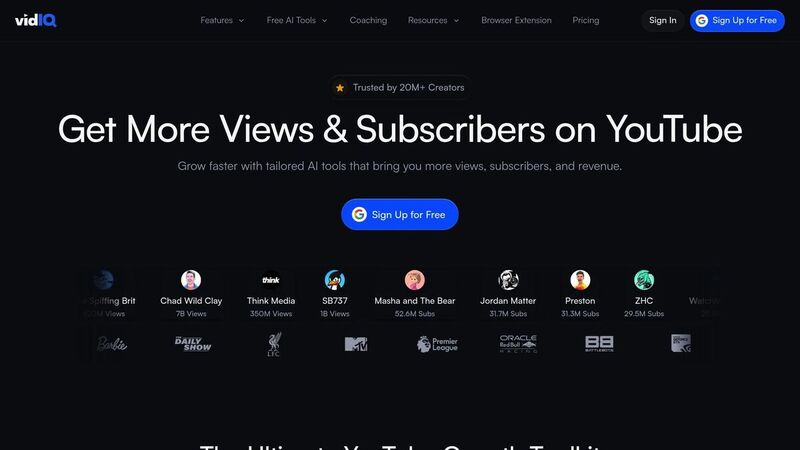
VidIQ is a YouTube-certified tool designed to help creators track real-time performance and improve SEO. One of its standout features is the Views Per Hour (VPH) metric, which provides instant feedback on how well your content is performing [3].
Behavior Metrics Coverage
VidIQ goes beyond the basics offered by YouTube Studio Analytics, providing deeper insights into viewer behavior. It tracks key engagement metrics like likes, shares, comments, watch time, and subscriber growth over time [1][3]. These metrics help you understand how audiences interact with your videos. What sets VidIQ apart is its integration of these engagement signals with SEO tools, giving creators a clearer path to improving discoverability.
The platform also assigns an SEO score to your videos based on keyword usage in titles, tags, and descriptions [3]. This feature makes it possible to see which search terms are driving traffic to your content and to uncover trending topics that your audience is actively searching for [1]. This combination of engagement tracking and SEO insights makes VidIQ a powerful tool for creators aiming to grow their channels strategically.
Specialized Features
VidIQ offers a variety of tools to help creators optimize their content. The Channel Audit tool highlights what’s working and identifies missed opportunities for growth [1]. It also includes AI-powered features that generate optimized titles, descriptions, scripts, and tags based on viewer behavior trends [3].
For added convenience, VidIQ’s browser extension provides real-time data and actionable SEO tips directly within the YouTube interface, whether you're browsing or uploading videos [1]. Another useful feature is the Competitor Scorecard, which allows you to compare your channel’s performance - like views and subscriber growth - against competitors in your niche [1][3].
Best Use Cases
VidIQ’s "Best Time to Post" feature helps you schedule content during peak audience activity, while the VPH metric can guide you in identifying trending videos that deserve extra promotion [3]. As Amanda S., a Verified G2 Reviewer, put it:
Anyone doing YouTube videos &/or shorts should def have this in their arsenal of tools! [3]
VidIQ offers a free version with limited functionality, but its paid plans unlock more robust features. Pricing starts at $16.58 per month for the Boost plan, $99 per month for Coaching, and goes up to $416.58 per month (billed annually) for Enterprise [3][1]. The platform has earned a 4.5/5 rating on G2 and 4.4/5 on Capterra. However, some users have noted that the free plan feels restrictive and the interface can occasionally be cluttered with pop-ups [3][1].
3. TubeBuddy
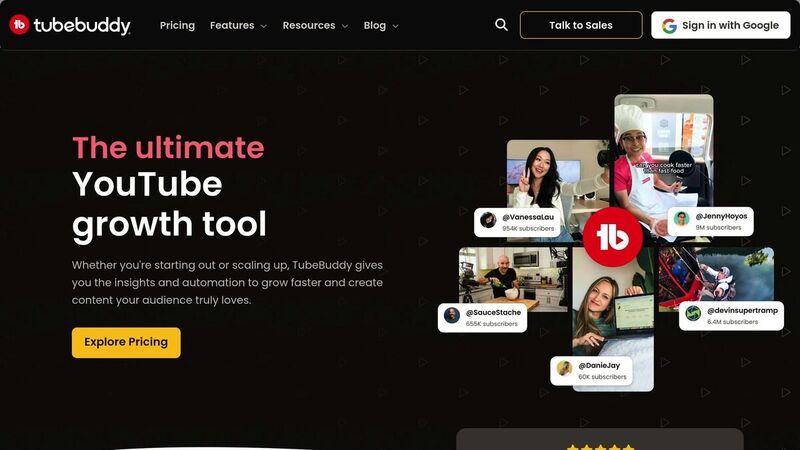
TubeBuddy is a YouTube-certified browser extension that integrates seamlessly into your YouTube Studio dashboard, offering real-time insights to help you understand your audience better [1][3]. With an impressive 4.6/5 rating on G2 and Capterra, it’s one of the go-to tools for YouTube creators [3].
Behavior Metrics Coverage
TubeBuddy provides a wealth of metrics to help you fine-tune your channel strategy. It tracks key viewer behaviors like views, watch time, subscriber growth, and engagement rates [1][3]. Its Retention Analyzer highlights where viewers drop off, helping you identify which parts of your videos keep them engaged [6]. The tool also boosts click-through rates with A/B testing, allowing you to compare thumbnails and titles to see which versions attract more clicks [1][3]. Additionally, it monitors keyword rankings and search volume, showing how viewers discover your content through YouTube’s search [6].
Specialized Features
TubeBuddy goes beyond basic metrics with features like the Competitor Scorecard, which lets you compare your channel’s views, subscribers, and upload frequency with others in your niche [6][3]. The Opportunity Finder provides personalized suggestions to help increase views and engagement based on your channel’s performance data [6]. For efficiency, TubeBuddy’s bulk tools allow you to update end screens, descriptions, and tags across multiple videos simultaneously [1][3]. Its Keyword Explorer is particularly popular for delivering detailed keyword insights [3].
Best Use Cases
TubeBuddy excels in helping creators maximize their content’s potential. The Best Time to Post feature ensures your videos go live when your audience is most active [3]. A/B testing is perfect for figuring out which thumbnails or titles resonate best with viewers [1][3], while the Retention Analyzer can help you improve video editing and pacing [6].
For creators at different stages, TubeBuddy offers flexible pricing. Beginners can start with a free plan, while the Pro Plan costs $3.60 per month (billed annually) or $4.50 on a monthly basis [1][3]. For those looking for advanced features, the Legend Plan is available at $28.99 per month and includes over 50 tools, such as A/B testing [3]. However, some users have mentioned that the interface can feel a bit overwhelming at first [1][3].
4. Social Blade
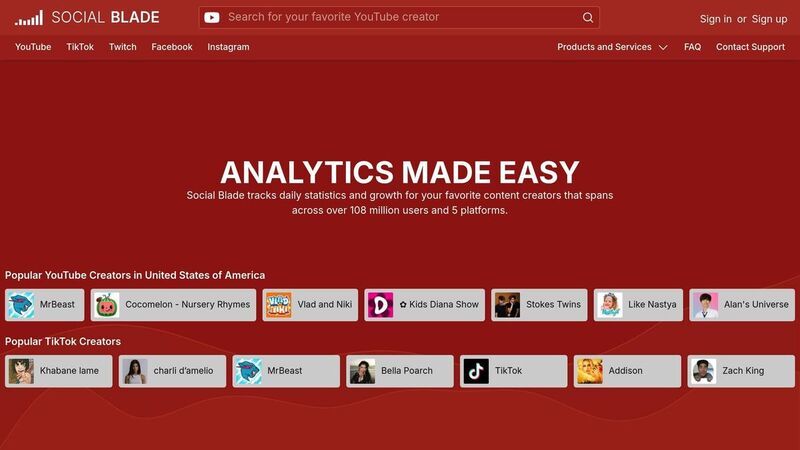
Social Blade has been a go-to resource for tracking social media stats since 2008, focusing primarily on public YouTube data [7]. Unlike tools that require you to own or manage a channel, Social Blade allows you to analyze any public YouTube channel with ease [2]. Let’s break down the key features and metrics it offers to evaluate channel performance.
Behavior Metrics Coverage
Social Blade provides a detailed look at viewer behavior, tracking metrics like subscriber growth, view trends, and upload frequency over time [7]. This long-term data helps you spot audience response patterns and understand how your content resonates. It also dives into engagement stats, such as video-level ratings and comments, offering a deeper layer of insight [2]. One standout feature is Social Blade's unique ranking system, which assigns channels a grade from A++ to F, based on their influence and consistency [7].
Specialized Features
One of Social Blade's highlights is the YouTube Money Calculator, which estimates a creator’s potential earnings using view counts and typical CPM ranges. This tool is invaluable for gauging the revenue potential of various content niches [7]. Additionally, Social Blade’s Top Lists categorize channels by country and genre (like Entertainment or Education), giving you a clear picture of what’s trending in specific niches [7]. The Similar Channels feature is another gem, helping you uncover competitors and analyze their top-performing content for inspiration [2].
Best Use Cases
Social Blade’s features are especially useful for creators aiming to grow their channels. You can compare your channel's grade and subscriber growth rate against industry leaders, giving you a benchmark to aim for. It also helps verify creator authenticity by flagging sudden, inorganic spikes in subscribers [7][2]. While basic public stats are free, premium options unlock advanced data and remove ads, offering an upgraded experience for those who need more in-depth insights [7].
5. Tubular Labs

Tubular Labs stands out as a powerful analytics platform designed for large brands and media companies. Unlike tools that focus solely on your own channel's data, Tubular Labs provides access to a vast database of insights from billions of videos and millions of creators, making it a go-to choice for enterprise-level analysis [1].
Behavior Metrics Coverage
This platform goes beyond basic analytics, tracking key metrics like watch time, unique views, and a proprietary "quality views" metric that measures how engaged viewers are. It also analyzes engagement patterns and viewing habits across major platforms like YouTube, Facebook, Instagram, and Twitch, giving you a comprehensive view of audience behavior [3].
Audience Insights
Tubular Labs offers advanced audience segmentation, breaking down viewers by age, gender, location, and interests. This detailed analysis helps uncover nuanced viewing habits, which can be critical for fine-tuning your content strategy.
Specialized Features
The platform includes predictive analytics and trend forecasting to help identify emerging content formats before they take off. Its competitive intelligence dashboard lets brands monitor their share of voice and benchmark their performance against competitors. For added peace of mind, Tubular Labs also includes brand safety monitoring to ensure your content appears in appropriate contexts. Additionally, its influencer intelligence tool evaluates creators based on real engagement data, moving beyond surface-level metrics like follower counts.
Best Use Cases
Tubular Labs is tailored for large enterprises and media companies that manage multiple channels and need deep, actionable insights. With its advanced features, it supports strategic decision-making across platforms. The platform requires at least two user seats and offers custom pricing. While its setup can be complex and might require specialized training, it earns solid ratings: 4.3/5 on G2 and 4/5 on Capterra [3]. If you're looking for a tool that delivers detailed competitive intelligence and audience insights, Tubular Labs is well worth considering for its robust capabilities.
6. ChannelMeter
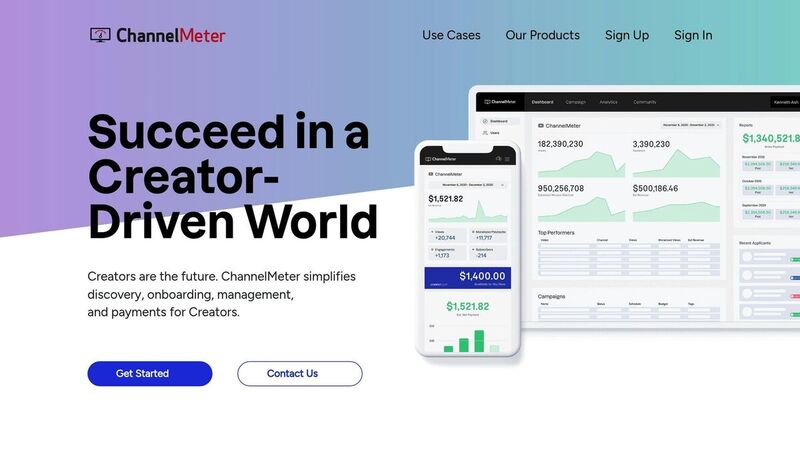
ChannelMeter takes a different approach compared to tools focused on individual channels. Instead, it’s built for managing large networks, making it a go-to solution for MCNs (Multi-Channel Networks) and agencies overseeing multiple creators. It’s less about individual performance and more about providing enterprise-level insights.
What It Tracks
ChannelMeter stands out by aggregating data across multiple channels. It tracks key metrics like views, watch time, subscriber growth, and engagement, but its real strength lies in portfolio-level analysis. By consolidating data from an entire network, it helps agencies spot trends and patterns that would be hard to identify by looking at individual channels. This bird’s-eye view is a game-changer for organizations managing large creator portfolios.
Key Features That Make It Unique
One of its standout features is the automated revenue distribution system, which connects performance data directly to financial processes. It calculates and distributes revenue automatically based on video performance, saving agencies from the tedious task of managing spreadsheets. This feature not only saves time but also ensures smooth financial operations.
Another valuable feature is its talent scouting tool. By analyzing performance metrics and growth trends, ChannelMeter helps agencies identify rising stars. This data-driven approach allows organizations to make smarter recruitment decisions, focusing on creators with real engagement and growth potential.
Who Should Use ChannelMeter?
ChannelMeter is ideal for organizations like MCNs, talent agencies, and media companies managing large networks of creators. If you’re an individual creator or a small team, this tool might be more than you need. But for those juggling dozens - or even hundreds - of channels, its ability to provide network-wide insights and automate financial processes can save countless hours. By combining analytics, financial tools, and talent management, ChannelMeter fills a critical niche for large-scale operations.
7. Socialinsider

Socialinsider is all about competitive intelligence and cross-platform comparisons. While it tracks standard YouTube metrics like engagement rates and subscriber growth, its standout feature is the ability to analyze any public channel - not just your own. This makes it a go-to tool for marketing teams and agencies aiming to benchmark their performance against others in their industry. It complements other analytics tools by providing insights that go beyond your channel's performance.
Behavior Metrics Coverage
Socialinsider keeps tabs on engagement trends and breaks down how views are distributed across your content. It dives into comparisons between YouTube Shorts and long-form videos, helping you figure out which format delivers better results. On top of that, it tracks subscriber growth rates to pinpoint which types of content are most effective at converting viewers into subscribers [1][8].
Audience Insights
Using a post-tagging system, Socialinsider organizes videos by keywords, making it easier to see which content categories - like tutorials, behind-the-scenes clips, or product reviews - click with your audience. It also features sentiment analysis to measure emotional reactions in comments. This means you’re not just learning what works; you’re getting a clearer picture of why it works [8].
Specialized Features
What sets Socialinsider apart from YouTube’s native analytics is its ability to track competitor channels and compare your performance against industry benchmarks. It’s also a major time-saver, potentially cutting down report prep time by creating automated, branded PDFs, presentations, and spreadsheets. According to the platform, this efficiency could save over $16,000 annually by reducing reporting time from a full day to just 1–2 hours [8].
Best Use Cases
Socialinsider is ideal for agencies managing multiple clients or brands that need detailed competitive analysis. Pricing starts at $82 per month (billed annually), and the 14-day free trial supports up to 20 profiles [1][8]. For solo creators focused solely on their own channel, it might be overkill. But for teams monitoring competitor channels and crafting polished client reports, it’s a time-saving tool that justifies its cost. Like other tools in this list, Socialinsider provides the kind of actionable insights that can fine-tune your YouTube strategy.
8. Sprout Social
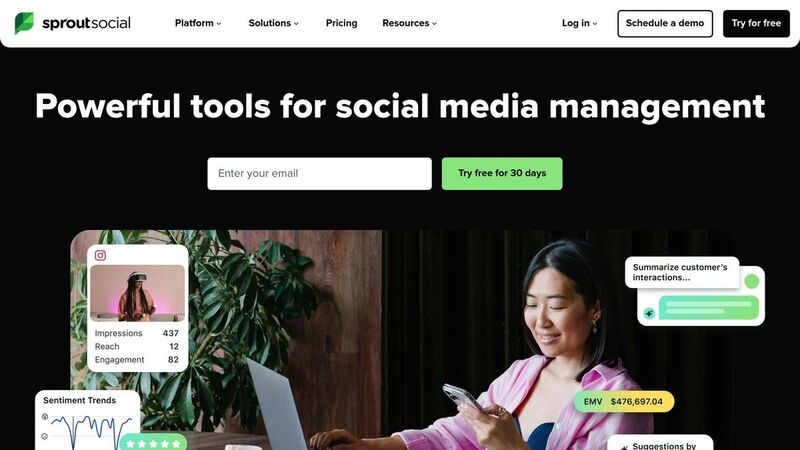
Sprout Social provides brands and agencies with a centralized dashboard to evaluate YouTube performance alongside platforms like Instagram, TikTok, and Facebook [5].
Behavior Metrics Coverage
Sprout Social tracks essential engagement metrics such as total views, likes, comments, and shares. It goes further by analyzing key engagement and watch metrics to pinpoint where viewers drop off. The platform also monitors Impressions and Impressions Click-Through Rate (CTR), giving you a sense of how well your thumbnails and titles convert casual viewers into engaged ones. Additionally, it offers industry benchmarks to help you gauge your performance against competitors [5]. These insights are seamlessly paired with detailed audience data for a comprehensive view.
Audience Insights
The tool provides a deep dive into audience demographics, including age, gender, and location, enabling more precise content scheduling. It also identifies when your audience is most active, helping you fine-tune your publishing times. Sprout Social distinguishes between returning and unique viewers and tracks watch time from subscribers, offering a clear picture of viewer loyalty [5].
Specialized Features
Sprout Social’s team collaboration tools are particularly noteworthy. Teams can assign tasks, share dashboards, and customize permissions to streamline workflows. The platform also generates automated, presentation-ready reports that can be scheduled for delivery, saving significant time on manual data collection. With a G2 rating of 4.5/5, users often praise its professional analytics and customizable reporting options [3]. These features make it easier for teams to make informed decisions across multiple social platforms.
Best Use Cases
Sprout Social is a great fit for brands and agencies looking to optimize YouTube engagement while managing other social channels. Its pricing is on the higher side compared to specialized tools, but it does offer a 14-day free trial [5]. For solo YouTube creators, it may be more than what’s needed. However, for teams seeking consolidated social media insights and actionable reports for stakeholders, Sprout Social turns YouTube data into clear, strategic decisions.
9. NoxInfluencer
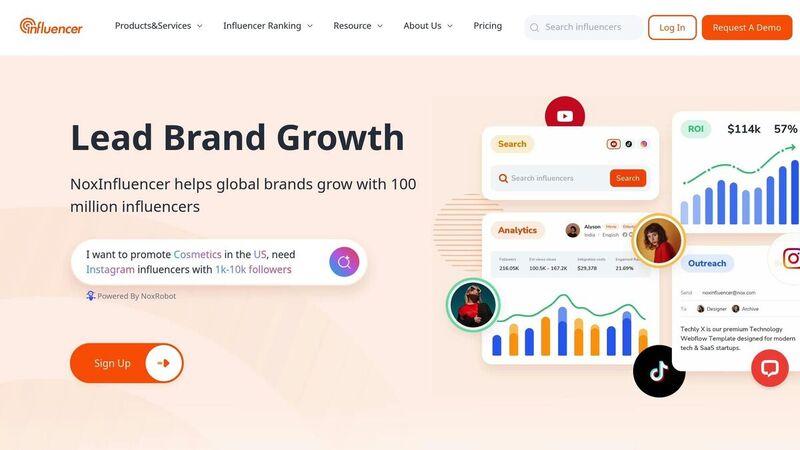
NoxInfluencer positions itself as a tool for discovering influencers and evaluating YouTube channel performance. However, it falls short when it comes to offering in-depth insights into viewer behavior. The platform does not provide detailed analytics on engagement rates, audience demographics, or content performance trends. While it can assist brands in identifying influencers for potential collaborations, those in need of a deeper understanding of viewer behavior might want to explore other tools with more advanced analytics features. This underscores the need for platforms that offer richer data for tracking and analyzing audience interactions effectively.
10. BuzzSumo
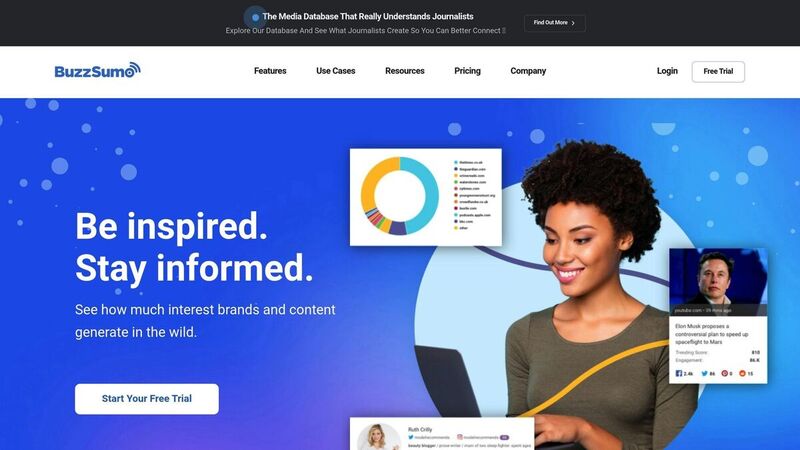
BuzzSumo is all about understanding how content performs and what grabs viewers' attention. It’s particularly effective at highlighting trends and showing which topics and formats spark engagement on YouTube. This makes it a go-to tool for identifying what resonates with audiences.
Behavior Metrics Coverage
BuzzSumo tracks key engagement metrics like shares, likes, and comments, giving you a clear picture of what’s trending and which keywords are driving interest. While it provides a solid overview of popular content, it doesn’t delve into deeper metrics like retention rates or click-through percentages. By searching any topic, you can quickly see which YouTube videos have performed well, helping you identify patterns in successful content.
Specialized Features
The platform shines when it comes to spotting trends and analyzing competitors. You can track competitor channels to see which video formats, topics, and posting schedules are most effective at engaging viewers. BuzzSumo also simplifies influencer discovery by identifying creators with high engagement levels, making it a valuable tool for brands looking to collaborate with YouTubers who have active audiences. These capabilities make BuzzSumo a strong ally for shaping content strategies.
Best Use Cases
BuzzSumo works best for content planning and strategy development. It helps uncover trending topics and provides insights into what’s working for your competitors. If you’re building a content calendar and need to know what’s hot in your niche, BuzzSumo delivers the insights you need. However, if you’re looking to analyze viewer behavior specifically on your own channel, you’ll need to pair it with more detailed YouTube analytics tools. BuzzSumo focuses on the bigger picture, helping you strategize effectively within the broader YouTube ecosystem.
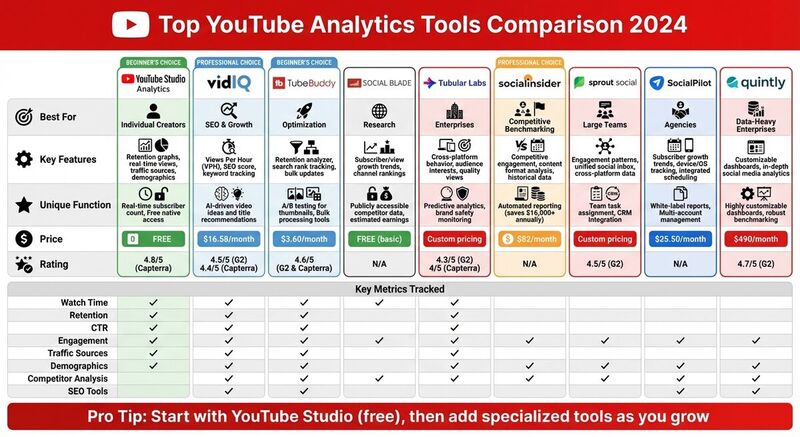
Tool Comparison Table
Choose the tool that aligns with your goals, budget, and level of expertise. The table below lays out a side-by-side comparison of platforms designed to analyze YouTube viewer behavior.
| Tool | Best For | Key Behavior Tracking Features | Unique Special Functions | Starting Price |
|---|---|---|---|---|
| YouTube Studio | Individual Creators | Retention graphs, real-time views, traffic sources, demographics | Real-time subscriber count; Free native access | Free |
| VidIQ | SEO & Growth | Views Per Hour (VPH), SEO score, keyword tracking | AI-driven video ideas and title recommendations | $16.58/month |
| TubeBuddy | Optimization | Retention analyzer, search rank tracking, bulk updates | A/B testing for thumbnails; Bulk processing tools | $3.60/month |
| Social Blade | Research | Subscriber/view growth trends, channel rankings | Publicly accessible competitor data and estimated earnings | Free basic |
| Tubular Labs | Enterprises | Cross-platform behavior, audience interests, quality views | Predictive analytics and brand safety monitoring | Custom pricing |
| Socialinsider | Benchmarking | Competitive engagement, content format analysis, historical data | Automated reporting | $82/month |
| Sprout Social | Large Teams | Engagement patterns, unified social inbox, cross-platform data | Team task assignment; CRM integration | Custom pricing |
| SocialPilot | Agencies | Subscriber growth trends, device/OS usage tracking, integrated scheduling | White-label reports; Multi-account management | $25.50/month |
| Quintly | Data-Heavy Enterprises | Customizable dashboards, in-depth social media analytics | Highly customizable dashboards; robust benchmarking capabilities | $490/month |
Here’s a closer look at what makes each tool stand out:
YouTube Studio offers the most reliable internal data, including retention heatmaps, but it doesn’t provide competitor metrics or cross-platform comparisons.
For creators focused on SEO, VidIQ delivers real-time tracking, while TubeBuddy simplifies workflows with bulk update tools.
Agencies can take advantage of SocialPilot's white-label reporting, priced at $25.50/month. Agency owner Brookelyn W. shared her experience:
SocialPilot has been the best tool I've found! It has everything I could need! Scheduling, analytics, ease of use, affordable, and more! [3]
Socialinsider shines in competitive benchmarking, helping brands measure performance against rivals.
For enterprise teams managing multiple channels, Tubular Labs and Sprout Social offer predictive analytics and unified dashboards. Meanwhile, Quintly, rated 4.7/5 on G2 [3], provides highly customizable dashboards, ideal for organizations that rely on data-heavy insights.
Conclusion
YouTube analytics tools take the guesswork out of content creation, turning it into a data-driven process. By analyzing viewer behavior, creators can pinpoint the exact moments when audiences lose interest, fine-tune their SEO strategies, and even measure their performance against competitors [1].
The best YouTube strategies often rely on a mix of tools rather than sticking to just one. A hybrid approach to analytics gives creators the confidence to make informed decisions. Checking your analytics at least weekly can help you spot trends and patterns without getting bogged down by the noise of daily fluctuations [5]. For example, agencies that have adopted automated reporting have cut their analysis time from an entire day to just 1-2 hours, with one agency saving over $16,000 annually in labor costs [8]. This kind of strategic integration sets the stage for sustained growth.
With 500 hours of video uploaded every minute [3], the competition on YouTube is fierce. Making decisions based on data isn’t optional - it’s essential. Whether you’re just starting out with free tools or managing a large team using advanced predictive analytics, the key is consistent monitoring and adapting to what the numbers tell you about your audience’s behavior.
Start with YouTube Studio’s free analytics to get a solid foundation. As your channel grows, gradually add more specialized tools to ensure every data point leads you closer to identifying your best-performing content and uncovering new opportunities for growth.
FAQs
What YouTube metrics should I track to grow my channel?
To grow your YouTube channel, it's crucial to keep tabs on the metrics that reveal how your content is performing and how your audience is engaging with it. Start by focusing on views and watch time - these are key factors that influence YouTube’s algorithm. Videos with more total watch minutes and longer average view durations tend to perform better in rankings and recommendations.
Pay attention to audience retention, which tells you how much of your video people are sticking around to watch. Combine this with tracking your click-through rate (CTR) for thumbnails and titles. These numbers can show whether your content is captivating and if your visuals and headlines are enticing enough to draw clicks.
Don’t forget subscriber growth, which reflects how well your channel is connecting with viewers over time. On top of that, keep an eye on engagement signals like likes, comments, and shares - these interactions give you a sense of how invested your audience is in your content.
If your channel is monetized, dive into revenue metrics like ad earnings and CPM to evaluate the financial side of your efforts. By regularly reviewing these numbers, you can fine-tune your strategy, craft videos that resonate more deeply with your audience, and build steady growth for your channel.
How can tools like VidIQ and TubeBuddy improve YouTube analytics and channel growth?
Tools like VidIQ and TubeBuddy take YouTube analytics to the next level by offering features that go beyond what YouTube’s built-in metrics provide. These platforms help creators fine-tune their content, boost engagement, and grow their channels with actionable insights.
VidIQ stands out with its tools for keyword research, competitor analysis, and AI-powered content recommendations. Features like Channel Audit highlight underperforming videos and provide tips for improvement, while Daily Ideas sparks fresh content inspiration to enhance channel performance.
On the other hand, TubeBuddy brings a suite of features like SEO Studio, Keyword Explorer, and A/B testing, helping creators refine key elements such as titles, tags, and thumbnails. Tools like Click Magnet evaluate thumbnail effectiveness, and the Niche Leaderboard lets creators compare their channel’s performance against competitors.
By leveraging these tools, creators can turn raw data into clear strategies, making it easier to attract a larger audience and boost engagement with their videos.
Why is YouTube watch time more valuable than views?
Watch time is one of the most important metrics on YouTube because it shows how long viewers are sticking around and engaging with your videos - not just clicking on them. It gives a better sense of how well your content resonates and how effectively it holds your audience’s attention.
YouTube’s algorithm favors videos with higher watch time since it signals strong viewer interest and engagement. This can boost your video's visibility in search results and recommendations, which is a big step toward growing your channel.