Free Tools to Generate Alt Text Automatically
Last updated: June 21, 2026
Alt text is not optional if you care about accessibility. It describes images for screen readers and gives context when images fail to load. AI tools can produce a decent first draft, but you still need to review the result. The tool can describe what it sees. You know why the image matters.
- TheBlue.social: Free single-image alt text generator, plus a separate bulk URL tool for larger batches.
- Popupsmart: Drag-and-drop interface for instant alt text generation.
- RyRob: Focuses on SEO-friendly descriptions with no account needed.
- Protoolio: Offers three free generations daily with batch processing.
- Quattr: Allows keyword input for tailored alt text.
- Ahrefs: Creates contextually relevant, SEO-optimized descriptions.
- SocialRails: Specializes in WCAG-compliant alt text with bulk processing.
Each tool has different tradeoffs. Use AI as a draft, then edit for accuracy, context, and length.
Using AI to Create ALT Text
TheBlue.social Alt Text Generator
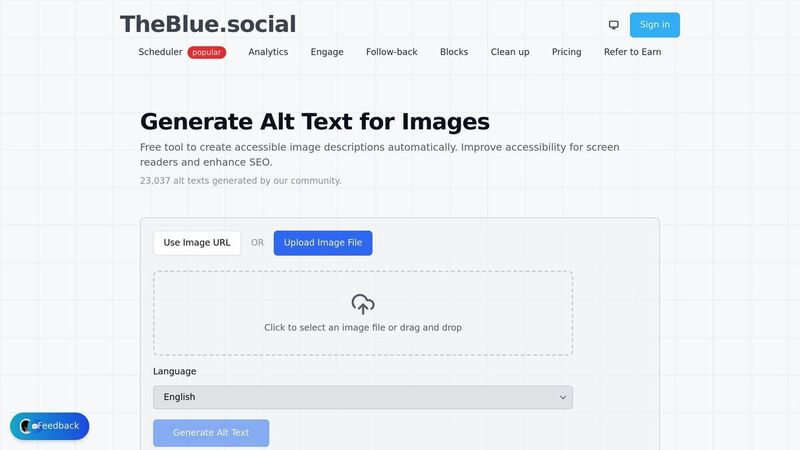
TheBlue.social's free alt text generator makes creating image descriptions quick. Upload an image, get a draft, then edit it before posting.
Uploading is simple: drag and drop your image or browse for it manually. Once uploaded, the AI identifies the main visual details and turns them into a description you can use as a starting point.
This tool is especially useful for social posts. Generate the alt text first, polish it, then paste it into the post composer or scheduler you already use. If you publish through TheBlue.social, keep the alt text with the post so accessibility is handled before the content goes out.
The generator focuses on natural, easy-to-understand descriptions. Use that as the baseline. Do not stuff keywords into alt text just because an SEO tool told you to.
In addition to alt text generation, TheBlue.social provides bulk alt text from image URLs, OCR text extraction, an Open Graph preview tool, and a profile picture editor. Use it as a small toolbench for the repeated parts of publishing, then make the final accessibility call yourself.
Other Free Alt Text Generators
While TheBlue.social provides an integrated alt text generator, several other free tools stand out with unique features tailored to different needs and workflows.
Popupsmart Free AI Alt Text Generator
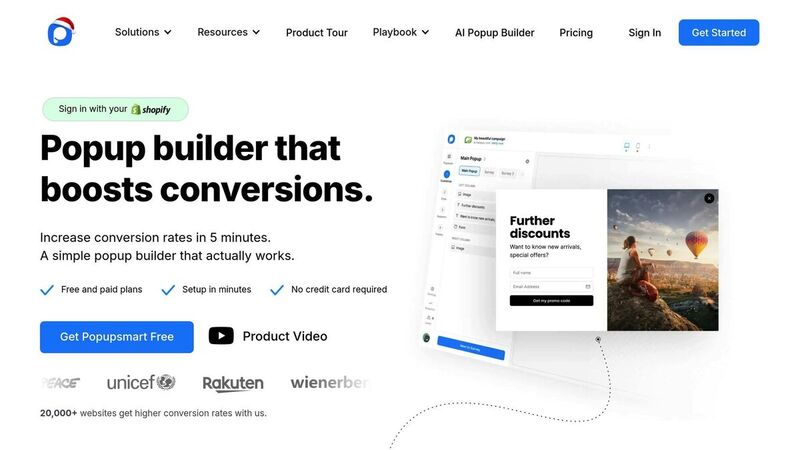
Popupsmart offers a simple drag-and-drop interface that creates alt text instantly - no account required. Just drop your image into the browser, and the AI generates a descriptive text. It's a great option for quick, one-off tasks when you're short on time.
RyRob Quick Alt Text Tool
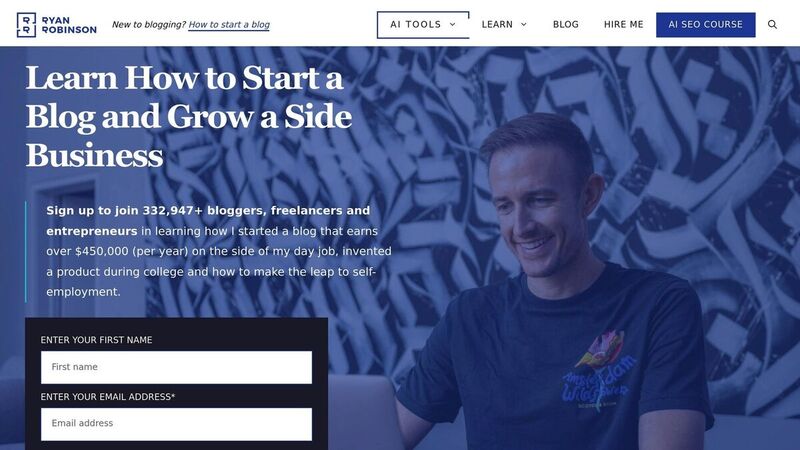
RyRob prioritizes ease of use and SEO optimization. You don’t need to create an account - just upload your image, and the tool delivers clean, SEO-friendly alt text. This makes it a solid choice for content creators who want concise descriptions that work well for both accessibility and search engines.
Protoolio Free Alt Text Generator
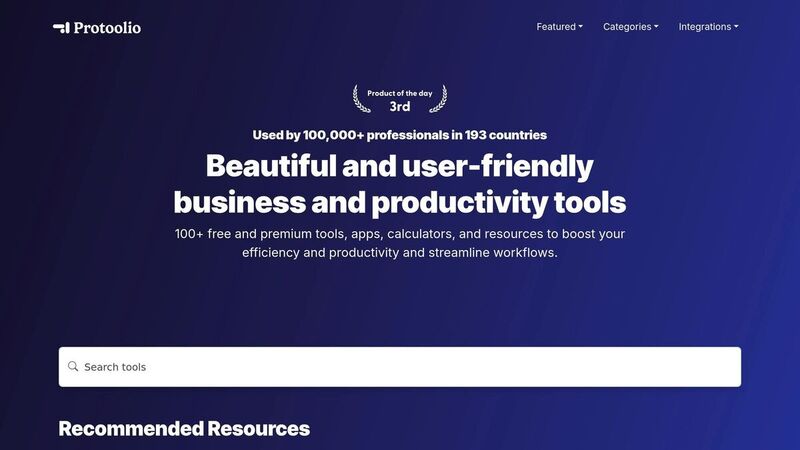
Protoolio operates on a daily credit system, offering three free alt text generations each day. It also supports batch processing, making it a handy solution for projects that involve multiple images and require efficiency.
Quattr Free AI Image Alt Text Generator
Quattr stands out by allowing you to input specific keywords during the generation process. This feature lets you guide the AI to include terms that align with your SEO goals, giving you more control over the final output.
Ahrefs Free AI Image Alt Text Generator
Ahrefs uses a language model to create contextually relevant, human-like alt text. According to Ahrefs, this approach is designed to improve both screen-reader accessibility and search engine indexing effectiveness [2].
SocialRails Free AI Alt Text Generator
SocialRails focuses on producing WCAG-compliant alt text. It also offers bulk processing capabilities, making it particularly useful for websites that need to meet strict accessibility standards or handle large volumes of images efficiently.
The table below compares the key features of these alt text generators side by side.
Feature Comparison Table
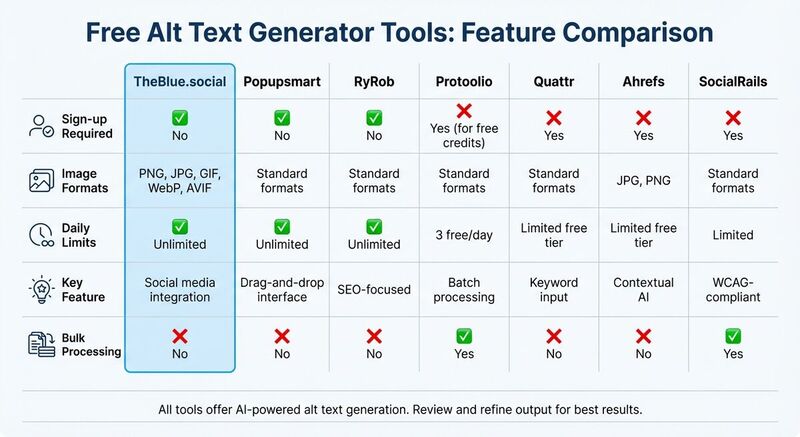 Here’s a quick look at how two popular free alt text generators stack up against each other:
| Tool | Image Formats | Daily/Usage Limits | SEO Features | Bulk Processing | Ease of Use |
|---|---|---|---|---|---|
| TheBlue.social | Common image uploads | Free tool | AI-generated descriptions | Single image upload, plus separate bulk URL tool | No registration needed for the free generator |
| Ahrefs | JPG, PNG | Limited free tier | Contextual, SEO-friendly | Single image focus | Simple web interface |
Supported formats and usage limits: Most alt text generators work with common web image formats like JPG, PNG, GIF, and WebP. Check each tool’s current limits before building a workflow around it.
Bulk processing capabilities: If you’re dealing with many images, use a tool built for batches. TheBlue.social has a separate bulk alt text tool for image URLs; the main generator is better for one image at a time.
SEO optimization: Not all generators are equally SEO-focused. Ahrefs, for instance, emphasizes generating contextual descriptions that can improve search indexing [2].
This breakdown helps you understand the strengths of each tool, setting the stage for leveraging them effectively in your workflow.
How to Use AI Alt Text Generators Effectively
Using AI to generate alt text is a great starting point, but to make it truly effective, you need to review and refine the output carefully.
Start by checking if the AI-generated alt text aligns with the purpose of the image on your page. While the AI might correctly identify what's in the image, it often misses the why. For instance, if the AI labels an image as "bar chart", you should add context to explain its relevance. A better description might be: "Bar chart showing sales growth from $2M to $6M", which highlights the trend and provides useful information.
Avoid redundant phrases like "image of" or "picture of", as screen readers already indicate that it's an image. Keep your descriptions concise - around 125 characters is ideal. This length works well for most screen readers and ensures clarity. Once you've trimmed your descriptions, refine them further to balance accessibility with SEO.
When incorporating SEO keywords, make sure they fit naturally into the alt text. Keyword stuffing can make descriptions awkward and harm your search rankings. Well-crafted, descriptive alt text not only improves accessibility but can also boost organic click-through rates and image engagement. Considering that over 50% of websites still lack alt text, this is an area where you can gain a competitive edge[1].
Pay attention to decorative images in your content. If an image doesn’t add meaningful information, mark it as decorative using a null alt attribute (alt="") or set it as aria-hidden="true." This ensures a smoother experience for users relying on assistive technology. Once the technical details are sorted, tweak the tone of the alt text to align with your brand.
For a consistent brand voice, adjust the tone of the alt text as needed. Most AI tools default to a neutral and factual style, but you might want a more formal tone for a corporate site or a relaxed, friendly vibe for a lifestyle blog. On platforms like Instagram or LinkedIn, use your polished alt text to provide context that resonates with your audience and encourages more engagement.
Conclusion
Alt text plays a crucial role in making content accessible. With 1.3 billion people worldwide depending on accessible content and more than half of websites still lacking alt text, adding image descriptions gives more people a usable experience [1].
The tools mentioned here make alt text less tedious. For example, TheBlue.social's free alt text generator is useful when you need a fast draft for social posts, and the bulk URL tool helps when you have many images to process.
That said, AI-generated alt text should be seen as a starting point. Always take time to review and refine it - add meaningful specifics, remove unnecessary details, and naturally incorporate relevant keywords. This not only improves accessibility but also boosts your SEO efforts.
Whether you're managing a queue of image-heavy posts or just trying to stop skipping alt text, these tools make the process easier. Begin with TheBlue.social's generator for single images, use the bulk tool when the work is repetitive, and review every output before publishing.
FAQs
How do AI tools create accurate and relevant alt text for images?
AI tools create alt text by using computer vision models trained on large sets of labeled images. These models can recognize objects, people, actions, charts, and infographics. Once identified, the AI turns those visual cues into a plain-language description that you can edit for the image's purpose.
Some tools also use page context or user-provided keywords. That can help with product photos, infographics, and images where the same visual could mean different things in different posts. Still review the result. Accuracy matters more than style options.
Can I edit the alt text generated by these tools to improve SEO?
Most free alt text generators let you tweak the descriptions they produce, making it simple to align with SEO goals. Many of these tools offer an option to edit the text after it's generated, and some even allow you to include target keywords before the AI creates the description. This way, your alt text stays clear and natural while still including relevant terms.
If the tool doesn’t come with a keyword feature, you can always adjust the output manually to add your main keyword. Just make sure to keep the text under 125 characters, focus on the image's purpose, and ensure it’s easy to read and accessible. This method strikes a balance between SEO optimization and meeting accessibility standards, improving your content’s visibility for both search engines and screen readers.
What are the advantages of using AI-generated alt text for your social media images?
AI-generated alt text offers a quick and efficient way to make your social media images both accessible and search-friendly. By automatically generating concise descriptions that comply with accessibility standards, it ensures that screen reader users can grasp the visual elements in your content. At the same time, it helps you meet important accessibility requirements.
Beyond accessibility, alt text also plays a key role in SEO. Search engines rely on these descriptions to better understand and rank images, so well-crafted alt text can increase your content's visibility. Automating this process not only saves time but also allows creators to focus on more creative aspects like strategy and design. Plus, bulk-processing options simplify managing large image libraries, which is especially useful for those with frequent posting schedules.
For instance, tools like TheBlue.social's free alt text generator give you a quick draft you can edit into a useful description. The win is less blank alt text, fewer rushed captions, and a better workflow for accessible posts.