10 Best X Scheduling Tools for 2025
Last updated: June 22, 2026
Managing your X (formerly Twitter) presence in 2025 doesn’t have to be time-consuming. Scheduling tools help you automate posts, plan threads, track analytics, and manage multiple accounts or platforms. Whether you’re a solo creator, a small business, or an agency, these tools can save time, improve consistency, and boost engagement.
Here’s a quick overview of the 10 best X scheduling tools for 2025:
- TheBlue.social: Cross-posting for X, Threads, Instagram, Pinterest, LinkedIn, Bluesky, and Mastodon, plus Bluesky analytics and publishing helpers. Free plan available; Pro plan costs $20/month.
- PostOwl: AI-powered scheduling with thread management and performance tracking. Affordable for freelancers and small businesses.
- Buffer: Easy-to-use tool for scheduling across platforms with Canva integration and basic analytics. Offers free and paid plans.
- Hootsuite: Advanced scheduling and analytics for teams managing multiple accounts. Premium pricing but feature-rich.
- X Pro (formerly TweetDeck): Official X tool for thread scheduling and analytics, included with X Premium ($8–$12/month).
- Sprout Social: Team collaboration, social listening, and detailed analytics. Best for mid-to-large organizations.
- Typefully: Focused on X thread scheduling with visual previews and analytics. Affordable and user-friendly.
- Chirr App: Simple tool for thread scheduling with evergreen content rotation and editing. Budget-friendly.
- Agorapulse: Unified dashboard for managing multiple accounts, with bulk scheduling and in-depth analytics. Best for teams.
- Metricool: Visual calendar for thread scheduling, cross-platform management, and competitor analysis. Flexible pricing.
These tools cater to different needs, from basic solo management to complex team workflows. Below is a comparison to help you decide.
Quick Comparison
| Tool | Platforms Supported | Thread Scheduling | Analytics Depth | Free Plan | Paid Plan Cost |
|---|---|---|---|---|---|
| TheBlue.social | X, Threads, Instagram, Pinterest, LinkedIn, Bluesky, Mastodon | Yes | Bluesky-focused | Yes | $20/month |
| PostOwl | X, Instagram, Facebook, LinkedIn | Yes | Engagement metrics | No | Affordable |
| Buffer | X, Facebook, Instagram, etc. | Yes | Basic | Yes | Starting $5/month |
| Hootsuite | X, Facebook, Instagram, etc. | Yes | Advanced | No | $50+/month |
| X Pro | X | Yes | Integrated with X | No | $8–$12/month |
| Sprout Social | X, Facebook, Instagram, etc. | Yes | Advanced, social listening | No | $50+/month |
| Typefully | X | Yes | Engagement insights | No | Affordable |
| Chirr App | X | Yes | Basic | No | Budget-friendly |
| Agorapulse | X, Facebook, Instagram, etc. | Yes | Detailed | No | Higher pricing |
| Metricool | X, Facebook, Instagram, etc. | Yes | Competitor analysis | Yes | Flexible plans |
Key Takeaway: Choose based on your goals. For creator-friendly cross-posting with Bluesky depth, try TheBlue.social. For broad social management, Buffer is a safer generalist pick. Focused on X threads? Typefully or Chirr App are great picks. Agencies should consider Sprout Social or Hootsuite for team features.
1. TheBlue.social
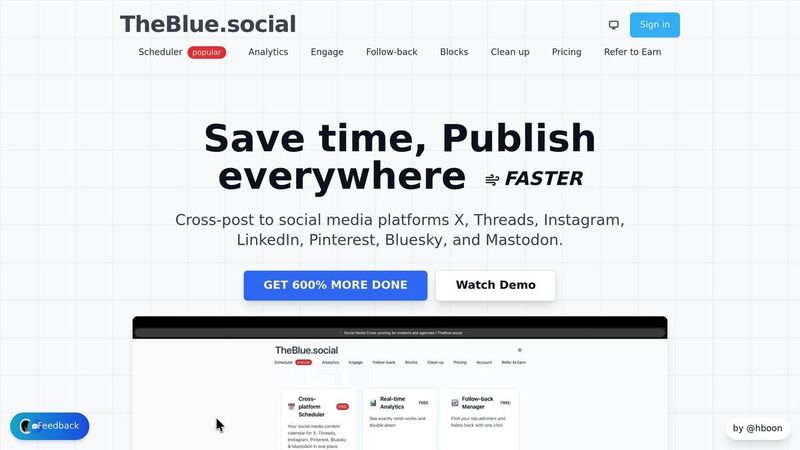
TheBlue.social is a cross-posting and Bluesky toolkit rather than a full social management suite. It supports X (formerly Twitter), Threads, Instagram, Pinterest, LinkedIn, Bluesky, and Mastodon, which makes it useful for creators and small teams who want one calendar for the networks they use.
Cross-Platform Scheduling Made Simple
With TheBlue.social, you can schedule and cross-post content to X, Threads, Instagram, Pinterest, LinkedIn, Bluesky, and Mastodon from one editor. This is especially handy when your audience is split between established networks and newer decentralized spaces.
You can compose your content once and either share it as-is across multiple platforms or customize it for each one. This approach saves time while ensuring your messaging stays relevant to each audience.
Advanced Thread Scheduling
For those who use X (Twitter), TheBlue.social offers the ability to draft, preview, and schedule entire threads. This feature ensures your multi-post messages are well-organized and delivered at the right time to maximize audience engagement.
Real-Time Analytics and Insights
TheBlue.social’s analytics depth is strongest on Bluesky. It offers Bluesky metrics, follower growth, post performance, best-time signals, and weekly growth reports over recent and extended windows. If you need social listening, sentiment classification, or X competitor benchmarking, use a specialist tool alongside it.
Plans That Fit Your Budget
TheBlue.social offers two pricing options:
- Free Plan: Includes basic scheduling and access to useful publishing tools.
- Pro Plan ($20/month): Raises limits, includes longer Bluesky analytics windows, and pairs scheduling with tools like a hashtag generator, username availability checker, and an Open Graph preview tool. If the post includes images, write the alt text in AltCaption before scheduling.
These affordable options make it accessible for solo creators and small businesses. Users frequently highlight its ease of use and practicality. For example:
"For everyone struggling with Follow backs in this growing platform I found this free app the other day and fell in love." – DWDwander
Another user shared:
"You can enter this link and follow/unfollow people with a single click. It's an extremely comfortable app. It has statistics, auto-posting features, etc. ✌🏼" – OZOzy
Whether you’re a solo creator looking for a cost-effective way to manage your social media or a small business aiming to optimize your posting strategy, TheBlue.social offers tools that save time and help you stay consistent across platforms.
2. PostOwl
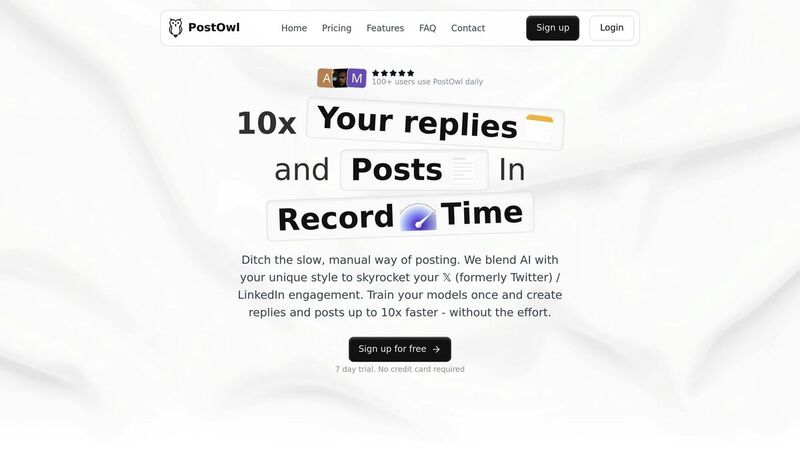
PostOwl is an AI-powered scheduling tool that combines advanced automation with user-friendly scheduling features. It goes beyond the basics, offering a range of capabilities that make managing your social media presence more efficient and streamlined.
Cross-Platform Support
PostOwl simplifies content management by supporting multiple platforms from a single dashboard. Whether you're posting on X, Instagram, Facebook, or LinkedIn, you can handle everything without jumping between accounts. This all-in-one approach helps you plan your social media strategy more effectively, ensuring consistent messaging across all your channels without the hassle of logging in and out of different platforms.
Thread Scheduling for X
For those who create multi-tweet threads on X, PostOwl has you covered. Its thread scheduling feature lets you compose, preview, and schedule your threads in the correct order, ensuring they post seamlessly. This is especially handy for creators who focus on educational content, storytelling, or in-depth discussions. You can craft your threads during your peak productivity hours and let PostOwl handle the posting, even if it’s outside regular business hours. Plus, it integrates directly with performance tracking, so you can measure the impact of your threads.
Analytics and Insights
PostOwl doesn’t just help you schedule - it also helps you improve. The platform tracks key metrics like impressions, likes, retweets, and replies, giving you a clear picture of how your content performs. With this data, you can identify what resonates with your audience, pinpoint the best times to post, and fine-tune your strategy to keep growing your presence on X.
Pricing That Fits Your Needs
Designed with freelancers, small businesses, and social media professionals in mind, PostOwl offers pricing options that won’t break the bank. Its intuitive interface makes it easy to use, and features like bulk scheduling let you plan and upload weeks of content in one go. This saves time and ensures you stay ahead of your social media calendar.
3. Buffer
As we continue exploring top scheduling tools, Buffer earns its place for offering a straightforward, no-frills approach to managing posts across platforms. Its clean, user-friendly interface eliminates distractions, allowing you to focus on scheduling your X posts and tracking their performance. With a design that prioritizes ease of use and a solid set of features, Buffer delivers efficiency without unnecessary complexity.
Cross-Platform Support
Buffer provides a centralized dashboard to manage posts across multiple platforms, including X, Facebook, Instagram, and more. This all-in-one setup simplifies content management, especially for users juggling multiple accounts. Whether you're scheduling text posts, images, GIFs, or videos, Buffer gives you the flexibility to create visually engaging content that stands out.
Thread Scheduling Capabilities
One of Buffer's standout features is its ability to handle bulk scheduling. You can plan and upload multiple posts at once, making it easier to manage long-term content strategies for X and other platforms.
Buffer also integrates seamlessly with Canva, allowing you to design graphics and visuals directly within the scheduling workflow. This integration ensures that creating eye-catching content is as smooth as possible, saving time and effort while helping your posts grab attention in busy X feeds.
Analytics and Performance Tracking
Buffer goes beyond scheduling by offering tools to track and analyze post performance. It monitors keywords, hashtags, and mentions to provide insights into how your content is performing. While the free version includes basic analytics, upgrading to a paid plan unlocks more detailed tracking options.
These analytics help identify which posts resonate most with your audience and determine the best times to share content. Although Buffer's analytics aren't as advanced as those found in enterprise-level tools, they are more than sufficient for small to medium-sized businesses looking to refine their social media strategies and boost engagement.
Pricing and Affordability
Buffer operates on a freemium model, making it accessible to users at all levels. The free plan covers essential scheduling features, while paid tiers offer enhanced analytics, team collaboration tools, and other advanced functionalities. This flexible pricing structure allows you to start for free and scale up as your needs grow.
For businesses with multiple team members, the paid plans include collaboration tools that streamline workflows and approval processes. Additionally, the mobile app ensures that you can manage your posts anytime, anywhere, adding an extra layer of convenience. With its affordability and simplicity, Buffer is an excellent option for users who want reliable scheduling without overspending.
4. Hootsuite
Hootsuite stands out as a top-tier social media management platform, offering tools designed for businesses and agencies that handle complex social media operations. While it caters to larger teams, its features remain accessible to businesses of all sizes. Here's a closer look at what Hootsuite brings to the table.
Cross-Platform Support
Managing multiple social media accounts can be chaotic, but Hootsuite simplifies this with its single-dashboard approach. By integrating all your accounts into one place, it eliminates the hassle of switching between tabs. From this unified dashboard, you can schedule posts, track engagement, and respond to messages seamlessly. Plus, the platform’s unified inbox ensures all messages and mentions from different platforms are consolidated, making customer communication more efficient [1].
Advanced Scheduling Capabilities
Hootsuite takes scheduling to the next level. Beyond just setting post times, it allows for bulk scheduling, so you can upload and plan multiple posts in one go. This feature is especially helpful for maintaining a steady posting schedule, even during non-working hours. Automated posting tools keep your social media presence active, while the collaboration features make it easy for teams to manage workflows and approvals [1].
Analytics and Performance Tracking
Hootsuite doesn’t just help you post - it helps you improve. With detailed analytics and reporting, you can track how your posts perform in terms of engagement and reach. These insights help you make data-driven adjustments to your strategy. Additionally, Hootsuite’s social listening tools keep an eye on brand mentions and provide valuable insights into trends and customer feedback [1].
Pricing and Affordability
As a premium platform, Hootsuite offers tiered pricing plans to accommodate businesses of different sizes and budgets. Each plan includes essential tools, with higher tiers providing access to advanced features like in-depth analytics and premium customer support. To top it off, Hootsuite’s mobile-friendly design ensures you can manage your social media on the go, backed by their award-winning support team for any technical needs [1].
5. X Pro (Formerly TweetDeck)
X Pro, previously known as TweetDeck, is X's official tool for scheduling and managing content. Built directly into X's infrastructure, it offers seamless access to features and ensures smooth functionality for advanced scheduling needs.
Thread Scheduling Capabilities
X Pro stands out for its ability to schedule entire threads effortlessly. For users who rely on threaded content to share in-depth information, this feature is a game-changer. You can compose a series of tweets in sequence, set a specific posting time, and let X Pro handle the rest.
As an official tool developed by X, it ensures full compatibility with the platform and avoids the API restrictions that can sometimes hinder third-party scheduling tools.
Analytics and Performance Tracking
X Pro includes built-in analytics to give you a clear view of how your scheduled posts are performing. Its dashboard provides real-time metrics, so you can monitor engagement as it happens. This helps you identify what content resonates most with your audience and pinpoint the best times to post for maximum visibility.
The analytics feature integrates directly with X's native system, offering a unified experience without needing to jump between platforms. Additionally, X Pro includes social listening tools to track brand mentions and trending topics, giving you valuable insights into audience feedback and current conversations. These features work hand-in-hand with its scheduling tools to refine your content strategy.
Pricing and Affordability
X Pro is included as part of the X Premium subscription (formerly Twitter Blue), which costs between $8 and $12 per month, depending on your region and subscription plan. If you're already using X Premium for its other features, X Pro adds even more value by bundling advanced scheduling tools into your existing subscription.
For those focused on X as their primary platform, this integration makes X Pro a cost-effective and efficient choice.
6. Sprout Social
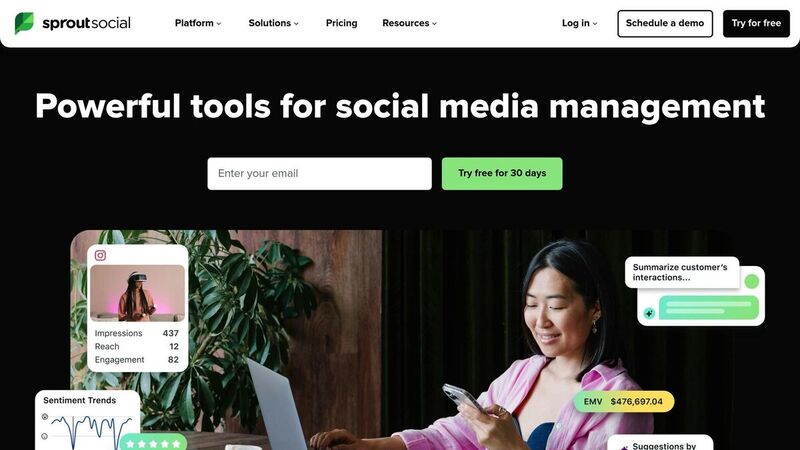
Sprout Social is a powerful tool for teams juggling multiple accounts across X and other social media platforms, offering advanced scheduling options and in-depth analytics.
Cross-Platform Management
Sprout Social simplifies managing multiple social media accounts by bringing them all under one roof. Whether you're handling X, Facebook, Instagram, or other major platforms, you can manage your entire strategy without hopping between tools.
Its smart inbox streamlines interactions, consolidating messages and comments in one place to save time. You can plan, draft, and publish content for X and other networks directly from its interface. Plus, its interactive content calendar provides a clear overview of your posting schedule, ensuring your messaging stays consistent and on track. This all-in-one approach makes managing your social presence more efficient.
Analytics and Strategy Insights
One of Sprout Social's standout features is its real-time analytics. It tracks how your posts on X are performing, monitors brand mentions, and even provides insights into what your competitors are doing. These tools help you fine-tune your strategy and identify opportunities to boost engagement.
The platform also offers social listening tools to help you stay ahead of trending topics and conversations. Competitor analysis features allow you to see what’s working for others and identify areas where your content could improve. With these insights and collaboration tools, your team can manage content more effectively and make data-driven decisions.
Pricing and Accessibility
Sprout Social’s advanced tools, like competitor analysis and detailed analytics, are designed with mid-to-large organizations in mind. For added convenience, the mobile app ensures you’re always connected, letting you schedule posts, track performance, and engage with your audience no matter where you are. Whether you're at your desk or on the go, Sprout Social keeps you in control.
7. Typefully
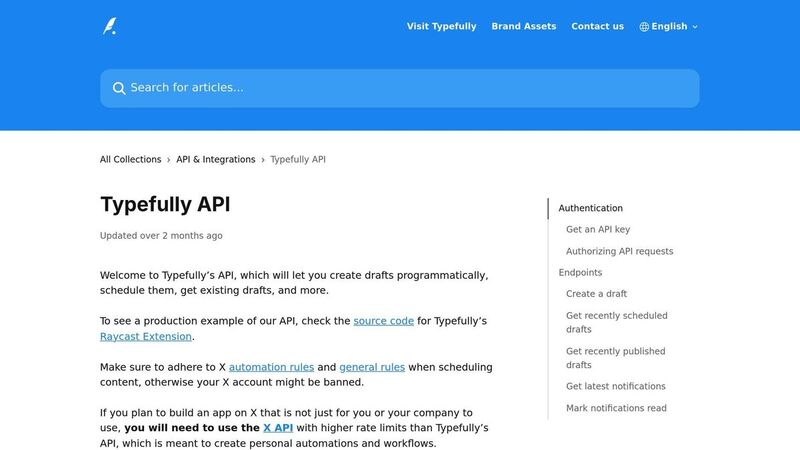
Typefully is crafted specifically for X users who want to simplify the process of creating and scheduling threads. If you've ever struggled with timing or previewing your content, this tool can make things a lot easier.
Thread Scheduling Made Simple
One of Typefully's key strengths is its ability to schedule threads with precision. Its user-friendly interface lets you compose and visually preview your entire thread exactly as it will appear on X. No more guesswork or manual posting - Typefully handles the timing and sequencing for you. Plus, it offers the option to unroll your threads into a mini blog-like profile, giving you a polished space to highlight your top content.
Insights with Analytics
Typefully doesn’t just stop at scheduling - it also provides in-depth analytics to track the performance of your tweets and threads. Metrics like engagement rates and reach help you understand what strikes a chord with your audience. Armed with this data, you can adjust your posting schedule to align with when your followers are most active.
Built for X
Unlike other tools that try to do it all, Typefully focuses solely on managing threads for X. This specialization ensures it delivers standout features like thread scheduling and visual previews, making it a go-to choice for thread enthusiasts.
Budget-Friendly Option
Typefully is an affordable solution for freelancers, small business owners, and content creators who need dependable tools for scheduling threads and analyzing performance. It’s a practical choice without breaking the bank.
8. Chirr App
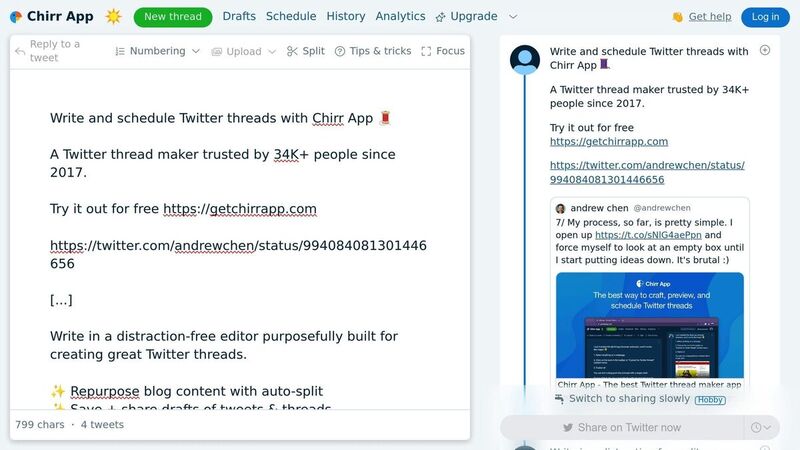
Chirr App keeps things simple and effective when it comes to scheduling X threads. If you’re looking for a tool that skips the clutter and gets straight to the point, this app is all about quick and efficient scheduling. Let’s dive into what makes Chirr App a standout choice for X thread scheduling.
Thread Scheduling Capabilities
Chirr App shines in its ability to create and schedule X threads effortlessly. The scheduling process is incredibly fast - just a matter of seconds[2]. It also offers a range of handy features, including live previews to catch formatting issues, automatic recycling of high-performing tweets with an evergreen rotation option, post-publication editing, and the ability to save content for future use. These tools make it easy to manage your threads without unnecessary hassle.
Analytics and Performance Tracking
The app includes basic analytics, giving you the key metrics you need to monitor engagement and spot trends. The dashboard is straightforward, offering just enough data to help you fine-tune your posting schedule without overwhelming you with unnecessary details.
Pricing and Affordability
Chirr App is designed with simplicity and affordability in mind, making it a solid choice for content creators who value efficiency over an extensive feature set. It also supports team accounts, allowing unlimited teammates to collaborate while accessing all pro features. This makes it an excellent option for small marketing teams and agencies. While it may not have every feature under the sun, it delivers a focused and dependable scheduling experience that won’t strain your budget.
9. Agorapulse

Agorapulse is a powerful tool for social media management, making it an excellent choice for teams juggling multiple accounts. If you're looking for a way to streamline your workflow and keep everything organized in one place, this platform has the features to make that happen.
Cross-Platform Support
With Agorapulse, you can manage your presence across major social networks like X, Facebook, and Instagram. Its unified dashboard pulls all your accounts together, so you can coordinate your content strategy without constantly jumping between platforms.
Tweet Scheduling Made Easy
Agorapulse simplifies tweet scheduling by offering tools like bulk scheduling, which lets you queue up multiple posts at once. This not only saves time but also helps you plan for consistent engagement. Plus, the platform's analytics work hand-in-hand with scheduling, helping you pinpoint the best times to post for maximum reach.
Analytics and Performance Insights
Agorapulse goes beyond basic analytics, giving you a detailed look at how your X content is performing. From tracking engagement metrics to identifying top-performing posts, its reporting tools help you make smarter, data-driven decisions. On top of that, its social listening features keep you informed about brand mentions and competitor activity, offering valuable insights to refine your strategy.
Pricing and Value
Agorapulse is built for businesses and teams that need advanced tools for scheduling, analytics, and collaboration across multiple platforms. While it may come with a higher price tag, the time it saves and the efficiency it brings to your workflow make it worth the investment. Plus, with award-winning customer support and 24/7 access via its mobile app, managing your X accounts is convenient no matter where you are.
10. Metricool
Metricool is a powerful tool that brings together scheduling, analytics, and content planning, making life easier for creators and businesses. It supports multiple social media platforms and simplifies cross-posting to keep your strategy consistent.
Cross-Platform Management
With Metricool, managing several social media accounts becomes a breeze. From a single, unified dashboard, you can schedule posts not just for X but for other platforms as well. Its cross-posting feature lets you share content across different networks effortlessly, saving you time and ensuring consistency.
Thread Scheduling Made Simple
Metricool provides a visual drag-and-drop calendar that makes planning and scheduling Twitter threads straightforward. This feature helps you organize and publish engaging threads at the right time. Combined with Metricool's data tools, it ensures your posts resonate with your audience.
Advanced Analytics and Insights
Metricool’s analytics tools give you a clear picture of how your content is performing. You can access competitor analysis, track hashtags, and even monitor social conversations. These insights help you fine-tune your content strategy and stay ahead of the game.
Feature and Price Comparison
With the features of each tool outlined earlier, this section breaks down how they differ in platform support, thread scheduling, analytics, and pricing.
Platform Support Breakdown
TheBlue.social stands out by supporting the widest range of platforms, including X, Threads, Instagram, LinkedIn, Pinterest, Bluesky, and Mastodon. This makes it a great choice for creators juggling both newer and established networks. Buffer and Sprout Social also offer multi-platform support, focusing on popular networks like X, Facebook, and Instagram.
For users dedicated to X, Typefully and Chirr App are tailored specifically for that platform, offering a more focused experience. Meanwhile, tools like PostOwl, Agorapulse, and Metricool provide multi-platform functionality with additional features to accommodate diverse content strategies.
Now, let’s see how these tools handle thread scheduling, a critical feature for creators on X.
Thread Scheduling Capabilities
Typefully and Chirr App shine in this area, offering interfaces that let you preview threads as you write. Chirr App even allows editing of published tweets and rotating evergreen content without needing to delete and repost.
Hootsuite and Buffer include thread scheduling as part of their broader toolkits, while Metricool simplifies the process with a visual drag-and-drop calendar for organizing multi-tweet threads. TheBlue.social integrates thread scheduling into its cross-platform scheduler, enabling users to plan X threads alongside posts for other networks from one dashboard.
Analytics Depth Comparison
Sprout Social offers advanced analytics powered by AI, along with features like social listening and brand mention tracking. Typefully provides a profile view that organizes your tweet history into a mini blog-style format.
Buffer tracks keywords, hashtags, and mentions, while Metricool includes competitive research tools and hashtag tracking. TheBlue.social offers Bluesky analytics with extended 30- and 90-day views for Pro subscribers at $20/month, though its X-specific analytics are less emphasized. Chirr App keeps it simple with straightforward metrics.
Pricing plays a big role in deciding which tool fits your needs, so let’s look at the cost breakdown.
Pricing Structure Overview
TheBlue.social provides a free plan for basic scheduling and a Pro plan at $20/month with higher limits and longer Bluesky analytics windows.
Buffer, Hootsuite, and Sprout Social are priced higher, reflecting their enterprise-level features and team collaboration tools. Plans start around $50/month and scale based on the number of users and features. X Pro (formerly TweetDeck) remains free but offers limited functionality compared to paid options.
For users on a tight budget, TheBlue.social’s free tier is a solid starting point. Mid-tier options like Typefully and Chirr App strike a balance between cost and specialized thread features, while Metricool caters to a variety of budgets with its extensive feature set.
Team Collaboration Features
Sprout Social leads the way with robust team management tools and content workflows. Buffer supports team collaboration with approval processes and shared workspaces.
Agorapulse and Hootsuite offer role-based permissions and unified inboxes for managing responses. TheBlue.social is lighter: it focuses on cross-posting, Bluesky analytics, and publishing utilities, not agency approvals or inbox assignment.
Solo creators and small teams can benefit from simpler options like Typefully or Chirr App, which focus on individual productivity. Metricool provides a balanced option with basic collaboration tools.
Key Differentiators
Each tool brings something distinct to the table:
- TheBlue.social combines cross-platform posting with Bluesky Analytics, Open Graph previews, hashtag suggestions, and username checkers that open direct profile checks.
- Buffer integrates Canva and Shopify, making it a good choice for e-commerce creators.
- Chirr App allows editing of published tweets without deleting them.
- Metricool includes a hashtag generator and suggests the best times to post based on your activity.
- Typefully transforms your tweet archive into a browsable profile, offering a unique way to track your content evolution.
- X Pro provides real-time monitoring and column-based organization at no cost.
- Sprout Social excels in social listening, tracking brand conversations across the web.
- Agorapulse focuses on inbox management and response tracking.
Making Your Choice
The right tool depends on your specific goals. If you need to manage multiple platforms, TheBlue.social, Buffer, or Sprout Social are excellent options. For thread-focused creators, Typefully or Chirr App are ideal. Visual planners may find Metricool’s drag-and-drop calendar particularly helpful.
For those on a budget, TheBlue.social’s free plan provides a good starting point. Teams needing advanced collaboration tools might lean toward Sprout Social or Hootsuite, while solo creators focused on X can get the most out of specialized tools like Typefully without paying for unnecessary extras.
Conclusion
Picking the right X scheduling tool comes down to understanding your needs, budget, and overall content strategy. The tools highlighted in this guide cater to various users, from solo creators to small businesses and agencies managing multiple accounts. Here's a closer look at how these tools align with different user requirements.
For individual creators, accessible options like TheBlue.social's free plan are a good starting point, especially if Bluesky is part of the mix. If you're focused on crafting threads, platforms like Typefully and Chirr App simplify the process, while X Pro remains a solid choice for X-specific posting.
Small businesses often need a balance between affordability and functionality. Tools like TheBlue.social's Pro plan ($20/month) or Buffer's paid plans deliver essential features like content calendars, analytics, and the ability to manage multiple accounts - perfect for making the most of a tight budget.
For agencies and larger organizations, advanced platforms like Sprout Social, Hootsuite, and Agorapulse provide the robust features required for managing multiple clients. These tools, priced between $50 and $500+ per month, include collaboration tools, approval workflows, detailed reporting, and even white-labeling options for client presentations. Social listening and unified dashboards further enhance their appeal.
To find the best fit, focus on your specific needs: the volume of content you plan to post, the platforms you use, and the level of analytics you require - whether that's basic engagement stats or detailed reports. Most platforms offer free trials or free tiers, allowing you to test their functionality and ease of use before committing to a paid plan.
The X scheduling tools available in 2025 offer something for everyone. Whether you're a solo creator exploring free options, a small business growing its online presence, or an agency juggling multiple accounts, there's a tool out there tailored to your needs. Take advantage of free trials to ensure the platform aligns with your workflow and analytics goals. The right tool will help you stay consistent, streamline your efforts, and strengthen your impact on X.
FAQs
What should I look for in a scheduling tool to manage my X content in 2025?
When selecting a scheduling tool to manage your X content in 2025, it's important to focus on essential features, affordability, and user-friendliness. The best tools should support multiple platforms, include advanced scheduling capabilities, and offer analytics to help you monitor performance.
Some tools make it easy to cross-post across platforms like X, Threads, Instagram, Pinterest, Bluesky, and Mastodon, while also streamlining content calendar management. Choose tools that not only simplify your workflow but also help you connect with your audience more effectively.
What are the typical pricing options for social media scheduling tools, and how much should I expect to pay for premium features?
Pricing for social media scheduling tools varies based on the features they offer. Many platforms include a free plan that covers basic scheduling, perfect for those just starting out. For users who need more, premium plans often provide extras like detailed analytics, cross-platform posting, and unlimited scheduling. These premium options typically cost between $10 and $50 per month, depending on the tool and the level of functionality included.
Can these scheduling tools work with other social media platforms, and how does that improve my social media management?
Yes, many scheduling tools, such as TheBlue.social, let you connect with multiple social media platforms like X (formerly Twitter), Threads, Bluesky, Mastodon, and Instagram. This means you can manage all your posts from one dashboard, making it easier to save time and keep your messaging consistent across all your accounts.
With a centralized content calendar, you can streamline your social media strategy, keep your brand voice steady, and extend your reach to engage with diverse audiences effectively.