Best Tools for Cross-Platform Social Media Scheduling
Last updated: October 15, 2026
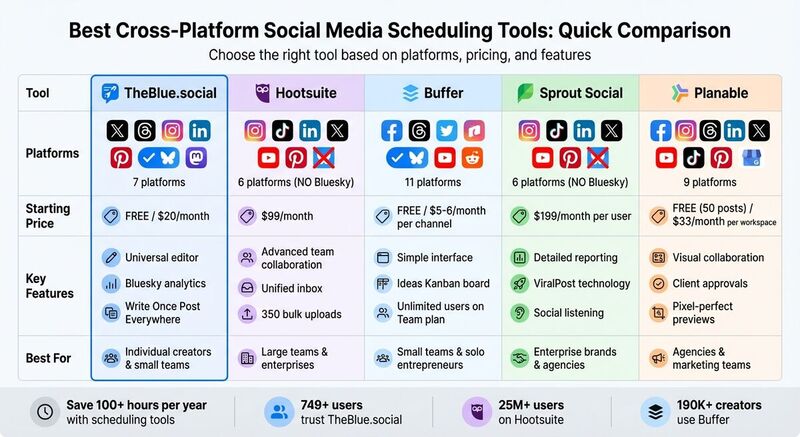
Social media scheduling can save you over 100 hours a year by centralizing your workflow. Instead of juggling platforms, you can create, customize, and schedule posts across multiple networks in one place. Tools like TheBlue.social, Hootsuite, Buffer, Sprout Social, and Planable simplify this process, each offering unique features and pricing to suit different needs. Here's a quick breakdown:
- TheBlue.social: Supports new platforms like Bluesky and Threads, offers free tools, and starts at $20/month for premium features.
- Hootsuite: Ideal for large teams with advanced collaboration tools, starting at $99/month but lacks Bluesky support.
- Buffer: Great for small teams with affordable per-channel pricing and simple analytics.
- Sprout Social: A premium option for enterprises, starting at $199/month, with detailed reporting but higher costs for additional users.
- Planable: Focused on visual collaboration and client approvals, starting at $33/month per workspace.
Key Tip: Use scheduling tools to batch your posts, tweak them for each platform, and analyze performance to maximize engagement. Below is a quick comparison to help you choose the best fit.
Quick Comparison
| Tool | Platforms Supported | Starting Price | Key Features |
|---|---|---|---|
| TheBlue.social | X, Threads, Instagram, LinkedIn, Pinterest, Bluesky, Mastodon | Free / $20/month | Universal editor, Bluesky analytics |
| Hootsuite | Instagram, TikTok, LinkedIn, X, YouTube, Pinterest | $99/month | Advanced team collaboration tools |
| Buffer | 11 platforms, including Bluesky and YouTube | Free / $5–$6/month per channel | Simple interface, affordable plans |
| Sprout Social | Instagram, TikTok, LinkedIn, X, YouTube, Pinterest | $199/month | Detailed reporting, enterprise focus |
| Planable | Facebook, Instagram, Threads, LinkedIn, X, YouTube, TikTok, Pinterest, Google Business Profile | $33/month per workspace | Visual collaboration, client approvals |
Choose the right tool based on your platforms, team size, and budget. For creators starting out, TheBlue.social’s free plan is a strong option. Larger teams or agencies may benefit from Hootsuite or Sprout Social for their collaboration and analytics features.
Best Social Media Management Tools 2026? Metricool vs Buffer vs Hootsuite vs Typefully 🫣
1. TheBlue.social
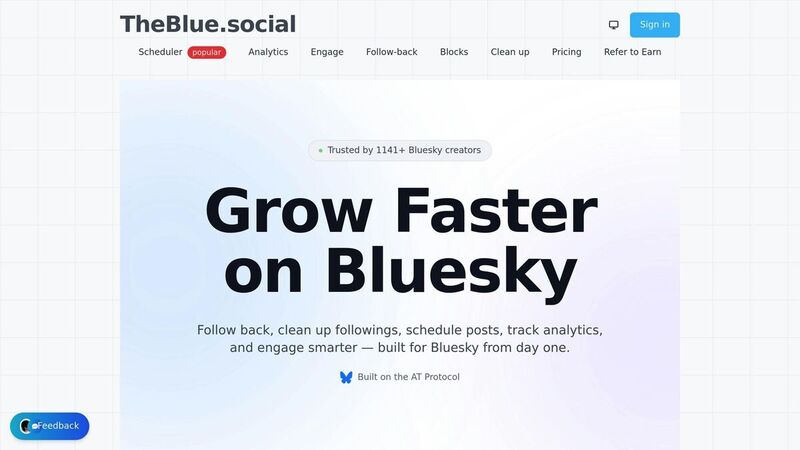
Creating content for multiple platforms can be a headache, but TheBlue.social makes the repeat work easier: write the post, adapt it per network, schedule it, and measure the Bluesky side.
TheBlue.social supports both new and established platforms: X (Twitter), Threads, Instagram, LinkedIn, Pinterest, Bluesky, and Mastodon. The best fit is a creator or small team that wants cross-posting plus Bluesky-specific analytics, not a heavy agency suite with approvals, inbox routing, or social listening.
Supported Platforms
With its "Write Once, Post Everywhere" universal editor, you can craft a single post and customize it for different platforms. Here's what stands out:
- Helps adapt posts to each platform's rules, including character limits, hashtag placement, and media formatting.
- Keeps multi-network drafts in one publishing workflow.
- Pairs the scheduler with utilities such as hashtag generation, username checks, Open Graph previews, and AltCaption for alt text.
Analytics Capabilities
The platform analyzes audience activity to recommend the best posting times. For Bluesky users, it offers specialized analytics to track engagement and follower growth.
Pricing
Getting started with TheBlue.social is free, and you don’t need a credit card to sign up. Cross-posting needs the Pro plan at $20/month, which also allows up to five connected accounts. A Bluesky-only plan costs $9.99/month. Current prices are on the pricing page. The free tier is practical for individual creators or small teams experimenting with multi-platform strategies.
Up next, we’ll break down how this tool stacks up against others in its category.
2. Hootsuite
Hootsuite, with its 18 years of experience and over 25 million users, offers powerful scheduling tools tailored for large teams. It's designed for organizations that require seamless workflows and a variety of integrations to manage their social media efforts effectively [3].
Supported Platforms
Hootsuite supports scheduling for Instagram, TikTok, LinkedIn, X (Twitter), YouTube, and Pinterest [2]. However, it does not currently support Bluesky [2]. Its dashboard uses a streams-and-tabs layout, which allows users to track keywords, brand mentions, and customer messages across multiple networks [1].
Collaboration Features
This platform is particularly strong in managing complex campaigns. Its unified inbox consolidates messages, making it easier for team members to assign conversations and leave internal notes [3]. Features like multi-step approval workflows and role-based permissions ensure all content aligns with brand standards before it goes live [1][5]. Hootsuite Amplify also empowers employees to share pre-approved company content on their personal accounts [3].
"Hootsuite makes it incredibly easy to schedule, manage, and monitor posts across multiple brands and platforms, which is essential for a multi-brand company." – Jose V., Project Manager, Chauvet Lighting [3]
Analytics Capabilities
Hootsuite’s analytics tools analyze up to 30 days of historical data to recommend the best times for posting [7]. It also lets users benchmark performance and track real-time brand mentions [4][6]. The AI-powered OwlyWriter highlights top-performing posts and offers suggestions for repurposing them. For bulk scheduling, users can upload up to 350 posts at once via a CSV file [7].
Pricing
Hootsuite's Professional plan starts at $99/month (billed annually) and includes one user and 10 social profiles. The Standard plan is priced at $199/month, while the Team plan costs $249/month and supports three users with 20 profiles [1][4][6]. For larger organizations, Enterprise plans start at approximately $15,000/year, offering advanced features like approval workflows and asset libraries [7]. While a 30-day free trial is available, the platform discontinued its permanent free tier in 2025 [1][4].
Up next, we’ll compare the standout features of these tools to better understand their unique offerings.
3. Buffer
Buffer is a go-to tool for over 190,000 creators, small businesses, and marketers looking for a simple yet effective way to manage their social media schedules across multiple platforms [1]. The platform prioritizes ease of use while maintaining essential features, making it especially appealing to solo entrepreneurs and small teams who want to streamline their social media presence without unnecessary complications.
Supported Platforms
Buffer allows scheduling across 11 social networks, including LinkedIn, Threads, Facebook, X (Twitter), Reddit, Instagram, TikTok, Pinterest, YouTube, Google Business Profile, and Bluesky [1][2]. Its inclusion of platforms like Bluesky and YouTube sets it apart from many competitors. The free plan supports up to three social channels, while paid plans unlock unlimited channel options [1].
This broad platform compatibility, combined with tools for team collaboration, makes Buffer a versatile choice.
Collaboration Features
Buffer simplifies teamwork with features like approval workflows, which guide posts from drafts to final publication [1][5]. The Team plan allows for unlimited users, each with assigned roles and permissions, so teams can collaborate without needing to share login details [4][6]. Additionally, the workspace feature helps organize content and settings for different brands or clients, keeping everything neatly separated [1].
"Buffer offers the smoothest experience... it helps creators stay consistent without the overwhelm." – Tamilore Oladipo, Sr. Content Creator, Buffer [1]
Buffer also includes an Ideas Kanban board for storing content ideas before scheduling [1][4]. The "Sync on" toggle makes it easy to publish the same post across multiple platforms instantly [5].
Analytics Capabilities
Buffer's analytics tools track key engagement metrics like reach, clicks, likes, comments, and saves across platforms [9][10]. It also provides detailed insights into audience demographics and behavior, helping users fine-tune their content strategies [9][10]. A standout feature is the "best time to post" tool, which analyzes when a user's audience is most active to maximize reach [10][11].
The engagement dashboard consolidates comments from various platforms and uses sentiment labels to help teams prioritize responses [10]. Users can also create branded reports that highlight trends in audience growth and engagement over time [10]. To top it off, Buffer includes an AI Assistant that helps refine captions and adapt successful posts for different platforms [8][9].
These analytics features are paired with pricing plans designed to cater to a range of needs.
Pricing
- Free Plan: Includes 1 user, 3 channels, and 10–30 scheduled posts per channel [1][5][6].
- Essentials Plan: Costs $5–$6/month per channel, with 1 user, unlimited scheduled posts, and basic analytics [1][4][6].
- Team Plan: Priced at $10–$12/month per channel, offering unlimited users, approval workflows, and draft sharing [1][4][6].
- Agency Plan: Around $100/month for 10 channels [6].
Buffer's per-channel pricing makes it an affordable option for small teams, though costs can rise as the number of channels and users grows. The platform holds a 4.6/5 rating on Capterra, with users frequently praising its clean design and intuitive workflow [9].
4. Sprout Social
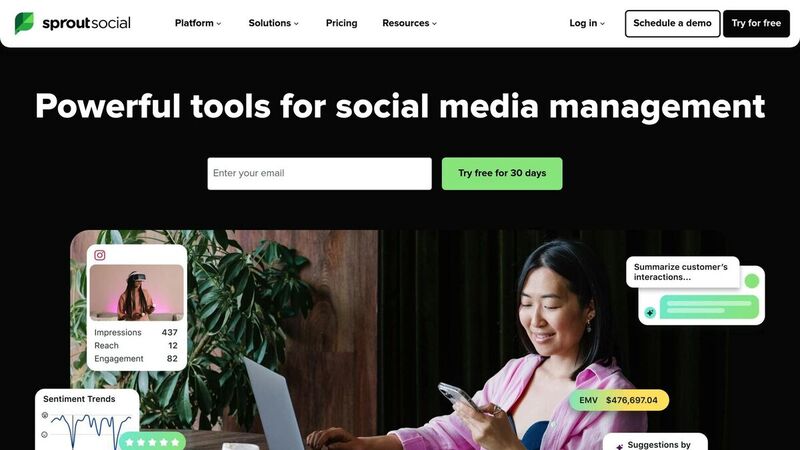
Sprout Social is a powerful tool designed for enterprise brands and agencies that need advanced scheduling and management capabilities. It combines publishing, social listening, and analytics into a single platform, making it ideal for organizations with intricate workflows and multiple stakeholders. Starting at $199 per user per month, with a 30-day trial available, it’s positioned as a premium solution for businesses that demand more from their social media management tools [1].
Supported Platforms
Sprout Social works with all the major platforms, including Instagram, TikTok, LinkedIn, X (formerly Twitter), YouTube, and Pinterest [2]. However, it does not currently support Bluesky as of early 2026 [2]. The basic plan typically includes up to five social profiles, with the option to add more if needed [5].
In addition to platform compatibility, Sprout Social enhances teamwork through its collaboration-focused features.
Collaboration Features
This platform is built to streamline team efforts. It offers structured approval workflows, ensuring that all content undergoes the necessary reviews before being published [1]. Team members can assign tasks, leave internal notes, and use chat-style comments directly within the dashboard. A unified inbox consolidates comments, direct messages, and reviews from connected platforms into one feed, making it easier to track and manage engagement across channels [1].
Analytics Capabilities
Sprout Social goes beyond basic metrics by offering detailed reporting options. Tag-level reporting and campaign tracking allow teams to measure the success of specific initiatives across platforms [1]. Real-time social listening dashboards help track brand mentions and monitor key industry terms [1][5]. One standout feature is the ViralPost technology, which analyzes audience engagement trends to recommend the best times to post for maximum visibility [12]. Reports can be exported in formats like PowerPoint or CSV, making them easy to share with stakeholders [1].
Pricing
The platform starts at $199 per user per month, though some sources indicate entry-level pricing may begin at $249 [1][2]. It’s worth noting that additional seats come at a high cost, which can significantly increase expenses for larger teams. For organizations needing advanced reporting, detailed control, and dedicated phone support, Sprout Social’s enterprise features are tailored to meet those demands, making it a strong choice for larger teams with complex needs.
5. Planable
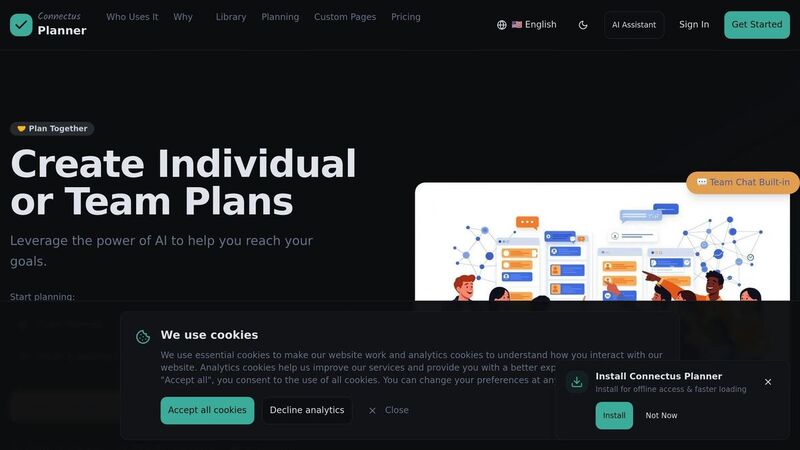
Planable is tailored for agencies and marketing teams that need a smooth way to collaborate visually and get client approvals. It supports nine major social platforms: Facebook (pages and groups), Instagram (posts, Reels, Stories), Threads, LinkedIn, X (Twitter), YouTube, TikTok, Pinterest, and Google Business Profile [5]. One of its standout features is the ability to preview posts exactly as they will appear on each platform - down to the pixel [1].
Collaboration Features
Planable’s collaboration tools cut down on endless email threads and Slack messages. Teams can leave threaded comments, track version history, and even react with emojis directly on post previews [1][5]. For client approvals, the platform simplifies the process by allowing clients to review and approve content via a shared link. No account or login is required, which is a big time-saver [1][5].
Custom approval workflows are another highlight. You can create multi-step chains like Creative → Brand → Legal → Client, ensuring all stakeholders sign off before publishing [5]. Once the final approval is given, the content locks automatically, preventing any last-minute changes [5].
"I like the way the page is laid out. We can see the posts as they will actually look on the platforms. Being able to set up schedules and to push to multiple channels, it really saves us time." - Victoria B., Principal Marketing Specialist [5]
These features make collaboration smoother and set the stage for easy performance tracking.
Analytics Capabilities
Planable includes cross-platform analytics that track key metrics like engagement, follower growth, impressions, and campaign performance - all without needing to log into each platform separately [5]. The reports are clean and customizable, though they lean more toward basic tracking rather than the in-depth insights offered by enterprise-level tools [1]. For teams looking for straightforward performance data, it gets the job done without overwhelming you.
Pricing
Planable offers a free plan capped at 50 posts, making it a risk-free way to try the platform [1][5]. Paid plans start at $33 per month per workspace, with costs increasing based on the number of workspaces, team members, and brands you manage [5][1]. This pricing makes it an accessible option for agencies that prioritize seamless visual collaboration.
Feature Comparison
TheBlue.social is packed with features designed to simplify your workflow across multiple platforms. Here's a closer look at what makes it a standout choice for cross-platform scheduling.
Broad Platform Coverage
TheBlue.social supports a wide range of platforms, including both established networks and newer options: X (Twitter), Threads, Instagram, LinkedIn, Pinterest, Bluesky, and Mastodon. This means you can manage content for decentralized networks like Bluesky and Mastodon alongside more traditional platforms - all from one centralized dashboard.
Practical Publishing Workflow
The universal editor, "Write Once, Post Everywhere", allows you to create a single post and then tailor it for each platform's unique requirements. It helps with character limits, hashtag placement, and media specifications, saving you from rebuilding the same update in seven different composer windows.
Insightful Analytics
With TheBlue.social, the strongest analytics are for Bluesky: post performance, follower growth, engagement patterns, best-time signals, and weekly growth reports. It is useful beside the scheduler, but it is not a replacement for enterprise reporting or competitor listening tools.
Affordable Pricing Options
Starting with TheBlue.social is completely free, with no credit card required. This makes it a good option for individual creators or small teams testing the waters of multi-platform strategies. For those ready to expand, the Pro plan is available at $20/month, which adds cross-posting and up to five connected accounts - a practical fit for creators and small teams that do not need enterprise workflow controls.
Built-In Free Tools
TheBlue.social goes beyond scheduling by offering a suite of free tools to enhance your social media management:
- Bluesky Network Statistics for real-time platform insights
- AltCaption for writing alt text when image descriptions are part of the workflow
- Hashtag Generator to increase content visibility
- Open Graph Preview Tool to see how links appear on different platforms
- Username checkers for Instagram, Bluesky, X, Threads, TikTok, Pinterest, and LinkedIn. These open direct profile checks and help compare variants; they do not guarantee a platform will let you claim the name.
- Platform status checkers for Bluesky, X, Pinterest, LinkedIn, and various Mastodon instances
Conclusion
After diving into the features of different scheduling tools, the right choice ultimately comes down to your posting habits, team setup, and the platforms you're targeting. As of early 2026, many tools still lag behind in supporting newer networks like Bluesky.
TheBlue.social stands out by covering X, Threads, Instagram, LinkedIn, Pinterest, Bluesky, and Mastodon, while keeping Bluesky analytics and publishing utilities close to the scheduler. For individual creators experimenting with multi-platform strategies, the free plan is a great starting point. For growing creators and small teams, the $20/month Pro plan raises limits without pushing them into agency-suite pricing.
"Multi-platform scheduling is the difference between social media controlling your time and you controlling your social media." – Selina Lynn, Author, Schedulala [2]
Switching from manual posting to scheduled batches can reclaim over 100 hours annually - that's roughly two full work weeks [2]. A smart approach is the 70/30 rule: schedule 70% of your content for consistency, while leaving 30% for spontaneous, real-time engagement. Make sure your scheduling tool aligns with your networks, workflow, and budget. And don't overlook the importance of tailoring your content - adjusting tone and format for each platform can make all the difference in how your message resonates.
To simplify your social media management, check out TheBlue.social's free tools, like the hashtag generator, Open Graph preview, or username checker. Use them to prepare posts and compare handles before you schedule.
FAQs
Which social platforms can TheBlue.social schedule posts to?
TheBlue.social lets you schedule posts on a variety of platforms, including X (formerly Twitter), Threads, Instagram, Pinterest, LinkedIn, Bluesky, and Mastodon. This simplifies managing your content calendar while making cross-platform posting easier.
How does TheBlue.social tailor one post for different platforms?
TheBlue.social gives you one editor where you can adjust a post for each connected network. It helps with character limits, hashtag placement, formatting, and multi-post threads, but you still review the final text per platform. That is the useful part: less rebuilding, more deliberate platform-specific copy.
Does TheBlue.social include Bluesky analytics and best-time-to-post?
Yes, TheBlue.social offers Bluesky analytics along with a best-time-to-post feature. These tools are crafted to help you fine-tune your content strategy and boost engagement on Bluesky.