Best Tools for Scheduling Polls on Threads and X
Last updated: June 21, 2026
Scheduling polls on Threads and X is tricky because X doesn’t allow native poll scheduling. To overcome this, third-party tools like TheBlue.social, Publer, and Buffer can help you plan and post polls effectively. These tools save time, improve engagement, and let you target peak activity times. Here’s a quick breakdown:
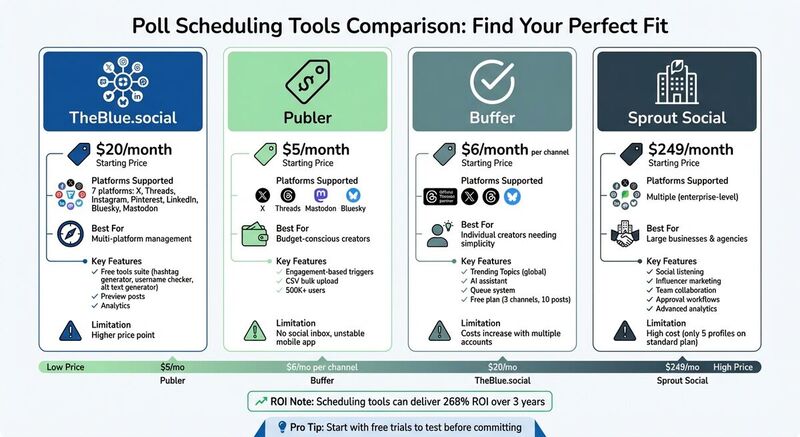
- TheBlue.social: Good fit when your poll workflow sits next to Bluesky, X, Threads, and other supported scheduling work. It also offers free tools like hashtag generators and username checkers. Pricing starts at $20/month.
- Publer: Affordable at $5/month, it supports poll scheduling and bulk uploads but lacks a social inbox.
- Buffer: Reliable for individual creators with pricing starting at $6/month per channel. Free plan available for up to three accounts.
Each tool caters to different needs, so try free trials to find the best fit for your workflow. Scheduling polls ensures your content reaches audiences at the right time, boosting visibility and engagement.
TheBlue.social: Cross-Platform Scheduling and Social Media Tools
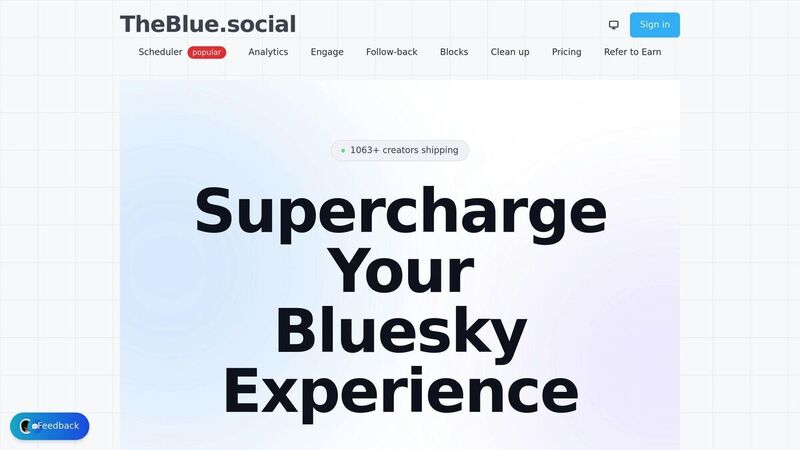
TheBlue.social is strongest when you want Bluesky-first scheduling and supporting tools around it. If your workflow also includes X, Threads, and other connected accounts, use it for the supported publishing pieces and keep platform-specific poll limits in mind. Polls are especially picky because each network handles options, duration, and scheduling differently.
Features for Threads and X
With TheBlue.social, you can plan supported posts in advance and keep related tools close by. Use Bluesky analytics for Bluesky engagement and follower trends. For X-specific troubleshooting, the X status checker helps separate platform outages from account or connection problems.
Free Tools Available
TheBlue.social goes beyond scheduling with a suite of free tools aimed at simplifying social media tasks. These include:
- The X Username Checker and Threads Username Checker to check whether a handle appears available before setting up accounts.
- The Generate Alt Text tool for creating image descriptions automatically.
- The Add Emojis tool to insert relevant emojis into your posts.
- The Hashtag Generator for finding hashtags to expand your reach.
- The Open Graph Preview Tool to see how your links will appear on platforms like Facebook, Threads, X, LinkedIn, and Discord.
Pricing Options
TheBlue.social offers an Early Supporter plan for $20/month, which includes higher posting limits, access to premium features, and priority updates. Subscribers also gain a direct feedback channel to share suggestions with the platform's team. To use TheBlue.social, a Bluesky login and app-specific password are required, and the platform provides a step-by-step guide to help you set it up.
Other Tools for Scheduling Polls on Threads and X
Publer

Publer is a versatile tool that allows users to schedule content across multiple platforms, including X, Threads, Mastodon, and Bluesky, all at once [2][3]. With over 500,000 social media managers and brands relying on it [2], Publer stands out for its ability to schedule polls on X/Twitter, LinkedIn, and Mastodon [2][3].
One standout feature is its engagement-based triggers, which can automatically publish the next part of a thread once the initial post hits a specific engagement or reach milestone [2][3]. For those managing bulk content, the CSV upload feature simplifies planning campaigns well in advance [2][6]. Starting at just $5/month [3][5], Publer is an appealing option for creators on tight budgets. However, it lacks a social inbox for managing replies [5], and its mobile app has been reported as unstable [6].
Buffer
Buffer, an official Threads partner, offers a dedicated workspace with features like "Trending Topics", which can be accessed globally - a useful addition since Threads itself only displays trends in the US and Japan [4]. Known for its reliability, Buffer’s queue system ensures consistent posting without requiring constant oversight [7][6].
The platform also includes an AI assistant to help refine and optimize Threads content [4][6]. Pricing starts at $6/month per channel [5][6], but costs can rise quickly if you manage multiple accounts. For beginners, Buffer’s free plan supports up to three channels with a maximum of 10 posts per channel [6], making it a good starting point for individual creators.
Sprout Social
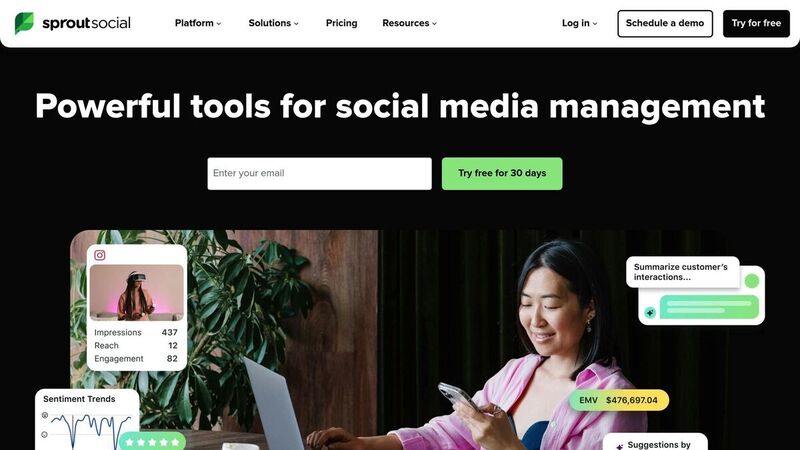
Sprout Social caters to large businesses and agencies, offering enterprise-level tools like social listening and influencer marketing [5]. It also supports team collaboration with task assignments and approval workflows, alongside detailed analytics for tracking complex campaigns [8].
However, the standard plan starts at $249/month and limits users to just five social profiles [5]. While its advanced features make it ideal for enterprises, this pricing can be excessive for smaller creators or businesses. For those with simpler needs, Sprout Social’s cost may outweigh its benefits [5].
| Tool | Starting Price | Best For | Key Limitation |
|---|---|---|---|
| Publer | $5/month [3][5] | Budget-conscious creators and planners | No social inbox for replies [5] |
| Buffer | $6/month per channel [5][6] | Individual creators needing simplicity | Costs increase with added accounts [5] |
| Sprout Social | $249/month [5] | Enterprises requiring advanced analytics | High cost for limited profiles [5] |
Each of these tools brings something different to the table, offering options for creators and businesses with varying needs and budgets.
How to Choose the Right Scheduling Tool
When selecting a scheduling tool, it's important to focus on what fits your specific needs. For example, if you're juggling multiple accounts on platforms like X and Threads, look for tools with a unified composer. This feature lets you create a poll once and schedule it across all platforms at the same time, cutting down on manual edits and ensuring your messaging stays consistent [2][3].
Start with a free trial. Many scheduling tools offer free options or trial periods. For instance, Buffer and Publer have permanent free tiers, while Schedulala provides a 7-day trial [5][6]. Use this time to see if the tool feels intuitive and whether it reliably publishes your posts. As Sabri, a UI/UX Designer at Publer, explains:
Threads and follow-up comments should feel like a natural continuation of the post, not a separate tool [3].
If the dashboard feels clunky during the trial, it might signal future frustrations. Once you're satisfied with the interface, shift your attention to how well the tool tracks performance.
Analytics matter. Go beyond surface-level metrics like follower counts and look for tools that provide deeper insights, such as engagement rates and audience activity patterns. Some platforms even suggest the best times to post based on your account's historical data [10]. This can significantly improve poll participation and other engagement metrics. In fact, certain tools have been shown to deliver a 268% return on investment over three years [10].
Think about your budget and future needs. If you're managing just a couple of accounts, pricing models like Buffer's $6 per month "per channel" plan might be a good fit [6]. However, if you anticipate managing more accounts or scaling up, flat-rate options like Publer at $5/month or Schedulala at $9/month are often more affordable [6]. Also, ensure the tool supports platform-specific features, such as X's 25-character limit for poll options [1].
Don’t overlook mobile functionality. If you often need to adjust polls or schedules on the go, a reliable mobile app is crucial. Make sure the app includes full automation features and matches the desktop experience [3][6]. Some tools have mobile versions that are unstable or lack essential features, which can disrupt your workflow when you're away from your desk.
Conclusion
Threads and X currently lack native poll scheduling, making third-party tools a must for maintaining consistent and timely posts [1][2].
Scheduling tools are useful when they match the exact post type you need. TheBlue.social, for example, works well for supported scheduling around Bluesky, X, Threads, and related social workflows, and it includes free tools for handles, hashtags, alt text, and link previews. For polls, check the tool's current platform support before building a campaign around it. Scheduling your polls for peak engagement times can make a big difference - research indicates that threads on X can generate up to 3x more impressions than single posts [9], and some users report as much as a 7x boost in engagement [11].
Incorporating a reliable scheduling tool into your social media strategy can significantly improve audience engagement and growth. Take advantage of free trials to find a tool that fits seamlessly into your workflow and helps you stay consistent without interruptions.
FAQs
Can I schedule an X poll ahead of time?
Scheduling a poll on X (formerly Twitter) in advance isn't something you can do with the platform's built-in tools. However, third-party platforms like Schedul and Postpone make it possible. These tools let you create and schedule polls to post at a future time, helping you stay organized and ensuring your polls go live exactly when you want them to.
What’s the best time to post polls on Threads and X?
The ideal times to post polls on Threads and X are weekday mornings between 9 a.m. and 12 p.m.. Engagement tends to peak during lunch hours (12 p.m.–1 p.m.) and early evenings (6 p.m.–9 p.m.). These periods coincide with when users are typically on breaks or winding down after work, making them more likely to interact.
Do scheduled polls keep the same poll settings and limits?
When scheduling polls, keep in mind that they typically don't retain their original settings and limits. Most platforms treat scheduled polls as entirely new posts, which means you might need to reconfigure them. If the platform you're using doesn't support native poll scheduling while preserving settings, double-check its features to ensure your poll is set up the way you want.