Top 7 Tools for Twitter (X) Scheduling Templates
Last updated: November 29, 2025
Managing your Twitter (X) content can be overwhelming, but scheduling tools make it easier. These tools help you plan posts in advance, maintain consistency, and optimize engagement. Whether you're a solo creator or part of a team, here's a quick guide to the top 7 scheduling tools for X:
- TheBlue.social: Multi-platform scheduler with free AI tools and analytics. Pro plan starts at $20/month.
- Native X Scheduler: Built-in for X Premium users, offering basic scheduling directly on the platform.
- Sprout Social: Advanced features for teams, starting at $99/month.
- Buffer: Budget-friendly, starting at $6/month, with a free plan for basic scheduling.
- Planable: Drag-and-drop calendar for teams, priced at $19/month per social set.
- Typefully: Focused on creating and scheduling X threads, pricing varies.
- SocialBee: Multi-platform scheduler with analytics, offering flexible pricing.
Each tool caters to different needs, from beginners to advanced users. Below is a quick comparison to help you decide.
Quick Comparison
| Tool | Bulk Scheduling | Platforms Supported | Visual Calendar | Starting Price |
|---|---|---|---|---|
| TheBlue.social | Up to 5 posts/platform | X, Threads, Instagram, Pinterest, etc. | Yes | Free/$20/month |
| Native X | Basic | X only | Basic | Included in Premium |
| Sprout Social | Advanced | Multiple | Yes | $99/month |
| Buffer | Effective | Multiple | Yes | $6/month (Free plan available) |
| Planable | Yes | Multiple | Drag-and-drop | $19/month |
| Typefully | Thread-focused | X-focused | Thread preview | Varies |
| SocialBee | Effective | X, TikTok, Telegram | Drag-and-drop | Flexible |
These tools save time, simplify posting, and improve your social media workflow. Choose the one that fits your goals and budget.
How To Schedule Posts Directly On X (Formerly Twitter)
1. TheBlue.social
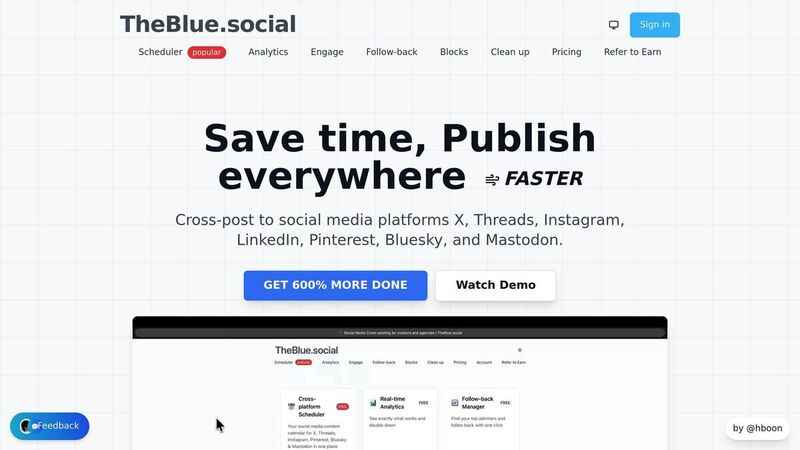
TheBlue.social is a cross-posting scheduler designed for X, Threads, Instagram, LinkedIn, Pinterest, Bluesky, and Mastodon. It’s more than just a scheduler - it comes packed with free tools like an AI-powered alt text generator, Open Graph preview, hashtag generator, and username availability checkers for platforms such as X, Instagram, and Threads. Bluesky users, in particular, get some added perks, which we’ll dive into shortly.
For those on Bluesky, TheBlue.social provides analytics to monitor engagement and follow growth, along with a handy follow-back tool that automatically follows users who follow you.
Bulk Scheduling Capability
TheBlue.social caters to different needs with its two-tier scheduling options. The Free plan lets you schedule one post per platform, while the Pro plan increases that to five posts per platform. This makes it easy to plan and distribute your week’s content in one go, keeping your social media presence consistent without constant micromanagement.
Multi-Platform Support
A standout feature of TheBlue.social is its ability to manage multiple platforms from a single interface. This unified system saves time and effort, especially when creating and tailoring content for different audiences.
"It's an extremely comfortable app. It has statistics, auto-posting features, etc. ✌🏼" - OZOzy, April 6, 2025 [1]
The platform boldly claims it can help users "GET 600% MORE DONE" through its streamlined cross-posting capabilities [1]. For busy content creators and small businesses, this level of efficiency can make a big difference in managing daily tasks.
Visual Content Calendar
TheBlue.social includes a visual content calendar that provides an overview of all scheduled posts across platforms. This tool makes it easy to identify gaps in your posting schedule, maintain a balanced flow of content, and avoid overwhelming your audience with too much at once.
Pricing Model
TheBlue.social offers two straightforward pricing options:
- Free Plan: $0/month - Schedule one post per platform (X, Threads, Instagram, LinkedIn, Pinterest, Bluesky, and Mastodon) and access seven days of Bluesky analytics.
- Pro Plan: $20/month - Schedule up to five posts per platform and unlock advanced features like 30- and 90-day Bluesky analytics and the Bluesky Engage Tool.
The Pro plan’s $20/month fee opens up deeper analytics and engagement tools, making it a practical choice for those who need more robust social media management capabilities.
Beyond scheduling, TheBlue.social provides additional free tools to streamline your workflow. These include network status checkers for monitoring platform outages, OCR text extraction for pulling text from images, and a profile picture editor with AI-powered effects. These features make it a comprehensive solution for managing your social media strategy.
2. Native X Scheduler
X's native scheduler is a built-in feature available to Premium subscribers, allowing them to schedule posts directly from the platform itself. This tool simplifies the process by removing the need for third-party dashboards, offering basic scheduling options right within X's interface. It’s designed to be user-friendly, so you won’t need to spend time learning a new system. Let’s take a closer look at what it offers.
The Native X Scheduler is best suited for individuals or small teams who want straightforward scheduling without the added complexity of external tools. Its integration with X makes it a convenient option for those who prefer to keep things simple and focused.
Bulk Scheduling Capability
With this tool, you can schedule tweets that include images, links, and videos for specific dates and times. It supports both individual posts and threads, though it doesn’t allow for bulk uploads via CSV files, which might be a limitation for users managing a high volume of content.
Multi-Platform Support
This scheduler is exclusively designed for X. If you’re someone who focuses solely on this platform, it’s a great fit. However, if you’re managing multiple social media accounts across different platforms, you’ll need to look elsewhere for unified management tools.
Visual Content Calendar
The scheduler offers a basic visual calendar that lets you see what’s scheduled and when it will go live. While functional, it lacks the advanced visual planning features that would make it easier to strategize over longer periods or manage more complex content schedules.
Pricing Model
The Native X Scheduler comes included with an X Premium subscription, so there’s no extra cost to access it. This makes it an appealing choice for individuals or small teams already using X Premium, as they can take advantage of scheduling features without investing in another tool.
The pricing is straightforward - there are no tiered plans, extra fees per user, or hidden costs. What’s available to one X Premium subscriber is available to all, keeping things simple and transparent.
3. Sprout Social
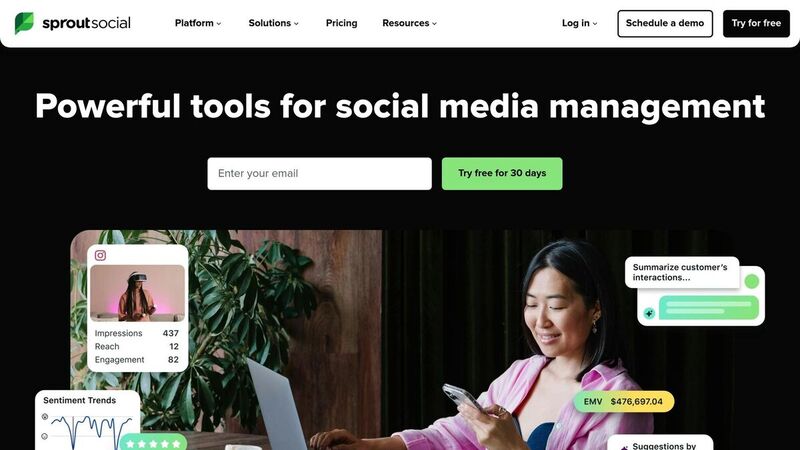
Sprout Social is a powerful tool designed for teams managing high-volume, multi-account social media operations. It offers an all-in-one solution with features like content management, team collaboration tools, detailed analytics, and multi-account management. Key highlights include social listening, competitor analysis, and a unified smart inbox to streamline communication across platforms.
This platform is ideal for marketing teams, agencies, and enterprises that need advanced workflows and approval processes. If you're juggling multiple X (formerly Twitter) accounts along with other social platforms, Sprout Social provides the structure and tools to manage them effectively.
Bulk Scheduling Capability
Sprout Social simplifies content planning with its bulk scheduling feature. You can upload multiple posts at once using a spreadsheet that includes columns for date, time, and message. Posts must be spaced at least 10 minutes apart, ensuring smooth scheduling. This feature integrates seamlessly with a visual content calendar, allowing you to organize and preview posts before they go live. It’s a great way to maintain an efficient, multi-platform posting strategy.
Multi-Platform Support
In addition to X, Sprout Social supports platforms like Facebook, Instagram, LinkedIn, and more. Its unified smart inbox consolidates messages, comments, and mentions from all connected accounts, enabling quick and efficient responses. From a single dashboard, you can also tailor posts for each platform, ensuring your content aligns with the audience and format of each network.
Visual Content Calendar
The platform’s drag-and-drop calendar makes it easy to adjust schedules, preview posts, and integrate with design tools for a seamless workflow. You can view your schedule in daily, weekly, or monthly formats, offering flexibility for campaign planning. The calendar showcases all scheduled posts across platforms, helping you spot gaps in your content plan or identify areas where posts might overlap.
Pricing Model
Sprout Social is positioned as a premium solution, with pricing starting at $99 per month. This reflects its advanced features, including team collaboration tools with custom approval workflows, role-based permissions, in-depth analytics, and priority customer support. These robust capabilities cater to teams and organizations that require a high level of functionality and support.
4. Buffer
Buffer is a straightforward tool designed to simplify social media scheduling for individuals and small businesses. Its user-friendly dashboard allows you to manage your X content alongside other social media channels, all in one place.
With both free and paid plans, Buffer caters to beginners and those working with smaller budgets. Let’s dive into how Buffer makes bulk scheduling and content management easier.
Bulk Scheduling Made Easy
Buffer’s bulk scheduling feature helps you queue up multiple tweets at once, saving time and ensuring a steady posting schedule. This eliminates the need for manual updates, allowing you to focus on other tasks.
One of Buffer’s standout features is its ability to recommend the best times to post based on your audience's activity. This means your tweets are more likely to reach your followers when they’re most active, boosting engagement without requiring you to dig through data yourself.
Broad Platform Support
Buffer isn’t limited to X - it supports other major platforms like Facebook, Instagram, and LinkedIn. This multi-platform functionality allows you to handle all your social media accounts from one dashboard, making it easier to maintain a consistent brand voice across channels.
Additionally, Buffer integrates with Canva for quick and easy graphic design. It also offers a content ideas library to spark inspiration. For e-commerce businesses, the Shopify integration enables seamless promotion of products directly through your social media posts.
Visual Content Calendar
Buffer’s visual content calendar is a handy tool for organizing and reviewing your scheduled posts. It helps you identify gaps in your posting schedule and ensures you maintain a consistent presence across platforms. Plus, with the mobile app, you can manage your schedule while on the move.
For small teams, Buffer provides collaboration tools like post-approval workflows. While these features may not match the complexity of enterprise-level tools, they offer enough functionality for small businesses or agencies with limited team members.
Affordable Pricing
Buffer’s pricing starts at just $6 per month, making it an affordable option for individual creators and small businesses looking to streamline their social media efforts. There’s also a free version with basic scheduling features, perfect for testing the platform before committing to a paid plan.
The platform includes analytics to track keywords, hashtags, and mentions, giving you insights into which content performs best with your audience. While its analytics aren’t as detailed as those of enterprise tools, they’re sufficient for users focused on tracking basic performance metrics rather than diving into advanced reporting.
5. Planable
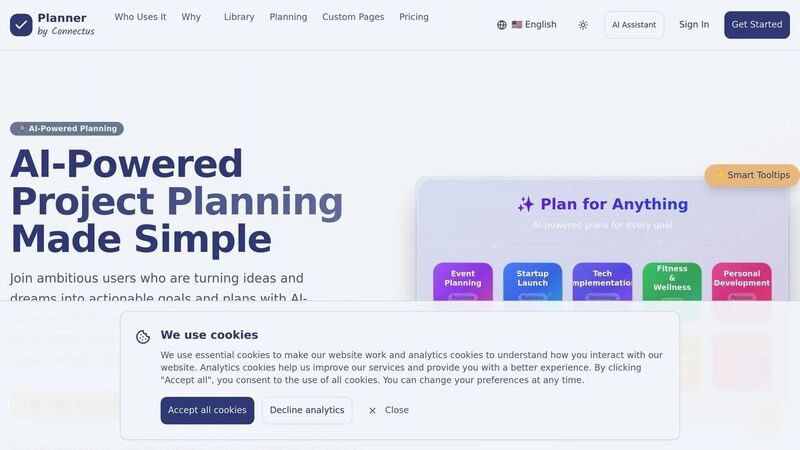
Planable is a scheduling tool designed with teamwork in mind, making it ideal for agencies, marketing teams, and organizations where collaboration is key. Unlike tools tailored to solo users, Planable focuses on streamlining group efforts in content creation and approval.
The platform uses a visual scheduling approach, allowing users to drag and drop posts on a calendar. As Planable puts it, it’s like "moving a few blocks around" - making it easy to adjust when priorities change [7].
Bulk Scheduling Made Easy
Planable simplifies scheduling by allowing up to 200 posts to be planned at once across multiple accounts [2]. This is a huge time-saver for agencies and large teams managing high volumes of content.
It supports various formats, including text, videos, images, GIFs, and threads. This versatility makes it perfect for executing multi-part campaigns or experimenting with different types of content [2].
Manage Multiple Platforms in One Place
With Planable’s unified content calendar, you can oversee X and other social media channels all from a single dashboard [2]. This feature streamlines workflows, especially when managing multiple platforms.
The platform also offers a four-tier content view system, helping teams visualize their work at different stages - from initial drafts to final approval [4]. This structure ensures no detail is overlooked, even when juggling multiple campaigns or client accounts.
A Visual Content Calendar for Seamless Planning
Planable’s drag-and-drop calendar makes planning effortless. You can see your entire schedule at a glance, spot gaps, and shift posts around by simply dragging them to new dates - no need to navigate complicated settings [2].
The shared calendar acts as a central hub for collaboration, where team members can plan posts, assign tasks, and provide feedback [2]. Flexible approval workflows allow you to customize hierarchies to fit your team’s needs, controlling what clients and teammates can access or edit. This is particularly helpful for agencies that require client sign-off before publishing.
Feedback is easy too - team members can comment directly on posts, cutting down on the endless email chains that can bog down the approval process.
Affordable Pricing for Teams
Planable’s pricing starts at $19 per month per social set, with a 14-day free trial available [2]. This makes it an accessible choice for small to medium-sized teams and agencies seeking powerful scheduling features without breaking the bank. Compared to other all-in-one scheduling tools, it’s a more budget-friendly option [4].
In addition to scheduling, Planable offers detailed reporting tools that track engagement, ROI, and campaign performance across platforms [2]. These analytics help teams refine their strategies and make informed decisions for future content. The platform’s mobile and web access ensures you can manage and approve posts from anywhere, accommodating remote and distributed teams [4].
For freelancers and agencies handling multiple clients, Planable’s white-label reporting and multi-brand support stand out. You can manage all your accounts from one dashboard while maintaining professional communication and reporting standards [2]. This makes it a practical choice for those juggling numerous clients without sacrificing efficiency.
6. Typefully
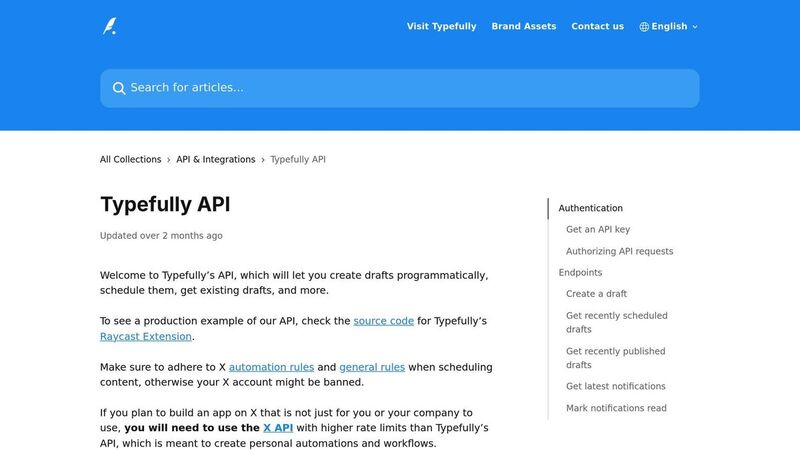
Typefully is a tool designed specifically for X users who want to streamline thread creation and scheduling [3]. Unlike broader social media schedulers that aim to handle multiple platforms, this tool zeroes in on what matters most to X users - writing engaging threads and keeping a consistent posting routine.
One standout feature is its real-time preview. As you write, you can see exactly how your threads will look once published [5]. This eliminates the need to post first just to check formatting, making the process smoother and more intuitive. By focusing on thread creation, Typefully complements the scheduling strategies discussed earlier, offering a tool tailored to X's unique needs.
Multi-Platform Support
Typefully is built exclusively for X [3]. Its features are fine-tuned to match X’s specific content style and audience preferences. For creators who concentrate primarily on X, this specialized approach is a perfect fit. However, if you're juggling multiple platforms, you might need to weigh whether a tool focused solely on X aligns with your workflow.
Visual Content Calendar
Scheduling threads is quick and straightforward [5]. Typefully's interface is designed for ease of use, allowing creators to get started without hassle. Beyond scheduling, it acts as a personal archive, where your tweets can function as a mini blog [5]. It also provides detailed analytics to help you identify which content resonates most with your audience, enabling smarter adjustments to your strategy [5]. These features make it an excellent tool for improving both efficiency and content quality on X.
Pricing Model
Typefully doesn’t publicly list its pricing details, so you’ll need to visit their website for the latest information. Its premium positioning reflects its focus on delivering a streamlined, X-centric experience.
7. SocialBee
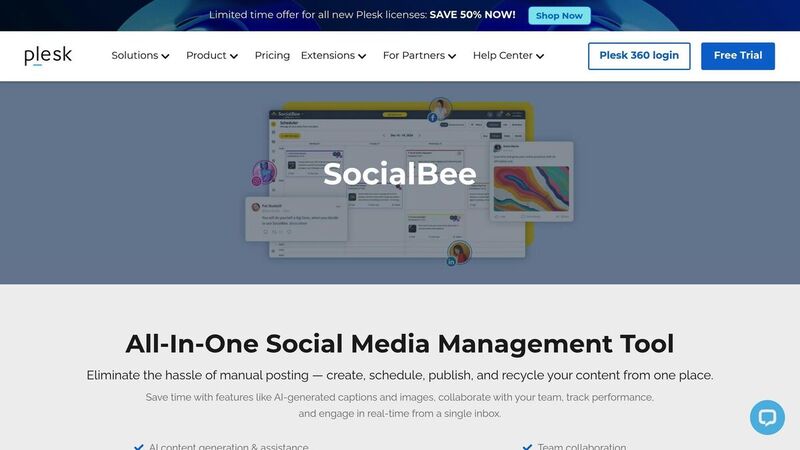
SocialBee is packed with tools for scheduling and content curation, making it easier to create and post content across multiple platforms. It’s designed to help marketing teams and agencies maintain a seamless social media strategy without the hassle of daily manual updates [6][8].
With SocialBee, you can plan posts in advance and let the platform handle the rest. This is especially helpful for those managing multiple accounts, ensuring consistent posting schedules without constant oversight.
Bulk Scheduling Made Simple
SocialBee’s bulk scheduling feature allows you to upload and schedule multiple posts at once [6][8]. This time-saving tool is ideal for anyone juggling multiple accounts or campaigns, eliminating the need to schedule each post individually.
The platform also offers flexible pricing plans, making it an adaptable choice for both small teams and larger agencies managing several client accounts. It’s a scalable solution that reduces manual work while keeping your social media presence active and organized [8].
Manage Multiple Platforms with Ease
SocialBee supports a variety of platforms, including X (formerly Twitter), TikTok, and Telegram [8]. This means you can oversee your entire social media presence from one convenient dashboard.
For agencies and freelancers managing multiple clients, this multi-platform support is a game-changer. By coordinating content across different networks with platform-specific tweaks, you can save time and streamline your workflow - all without needing multiple tools or subscriptions.
Visual Content Calendar for Better Planning
SocialBee’s drag-and-drop visual calendar makes it easy to plan, adjust, and reschedule posts. You can view your content by day, week, or month, ensuring your schedule aligns with shifting priorities [2].
The calendar also supports X thread scheduling, allowing you to compose and schedule multi-tweet threads while keeping your storytelling intact [8]. Beyond scheduling, SocialBee provides analytics and reporting tools to track metrics like engagement, follower growth, clicks, and impressions. These insights help you refine your strategy and keep your audience engaged across all platforms [2].
Flexible Pricing and Collaboration Features
SocialBee’s pricing plans are designed to fit a variety of needs. Whether you’re managing a single account or several, you can find a plan that works for you. For the latest rates, visit their website [8].
On top of that, SocialBee offers collaboration tools that let team members work together on content planning and scheduling. Shared calendars and approval workflows ensure everyone is on the same page, making it a perfect fit for marketing teams, agencies, and organizations where multiple people need to contribute to social media content [8].
Feature Comparison
When it comes to managing social media efficiently, comparing tools side by side can help you identify which features align best with your needs. Below, we break down how seven popular tools perform in areas like bulk scheduling, multi-platform support, visual calendars, and pricing. This comparison aims to highlight each tool’s strengths and help you decide which one suits your workflow.
Bulk Scheduling Capabilities
Scheduling posts in bulk can save a lot of time, especially for busy creators or teams. SocialBee stands out with its efficient bulk scheduling, making it a go-to for managing campaigns smoothly. Native X Scheduler, on the other hand, provides only basic scheduling, which might feel limiting for those managing multiple posts. Sprout Social offers advanced bulk scheduling, perfect for agencies juggling several accounts. Buffer focuses on simplicity, offering multi-platform scheduling paired with recommendations for optimal posting times. Planable caters to visual planners by organizing posts into customizable categories and columns, while Typefully specializes in thread scheduling for creating cohesive, multi-tweet content. Lastly, TheBlue.social enables cross-platform scheduling for up to five posts per platform in its Pro plan, making it a solid choice for individual creators rather than high-volume users.
Multi-Platform Support
Having a single dashboard to manage content across multiple platforms can be a game-changer. TheBlue.social supports seven platforms, including X, Threads, Instagram, Pinterest, LinkedIn, Bluesky, and Mastodon, offering creators a unified way to manage both emerging and established networks. SocialBee also supports multiple platforms like X, TikTok, and Telegram, allowing for tailored content adjustments. Sprout Social and Buffer both provide strong multi-platform functionality, complete with analytics for tracking performance. If X is your sole focus, Native X Scheduler might work well, while Planable and Typefully also support multiple platforms, with Typefully excelling in Twitter-specific strategies.
Visual Content Calendar Features
A visual calendar can turn content planning from a headache into a streamlined process. Planable offers an intuitive drag-and-drop calendar, making it easy to rearrange posts and identify scheduling gaps. SocialBee also provides a drag-and-drop calendar with thread scheduling options. Buffer includes a user-friendly calendar integrated into its platform. Sprout Social delivers a comprehensive dashboard that not only shows scheduled content but also tracks campaign performance. In contrast, Native X Scheduler offers a more basic calendar view, while Typefully provides visual previews of multi-tweet threads, so you can see exactly how your content will look before posting.
Pricing Models and Value
Pricing can vary widely depending on the features offered and the target audience. Buffer is one of the most affordable options, starting at $6 per month for individuals, with a free plan available for basic scheduling - making it ideal for freelancers or small businesses. TheBlue.social offers a free plan (one scheduled post) and a Pro plan at $20 per month, which includes up to five posts per platform, analytics, and bulk image alt text generation. Planable starts at $19 per month per social set and includes a 14-day free trial, which is great for teams needing collaborative tools. Sprout Social is positioned as an enterprise solution, charging $99 per month for its comprehensive features, though it doesn’t offer a free plan. SocialBee provides flexible pricing options that scale from small teams to larger agencies managing multiple clients. Meanwhile, Typefully and Native X Scheduler offer tiered pricing, with Native X Scheduler requiring an upgrade to X Premium for advanced features.
For budget-conscious users, tools like Buffer and TheBlue.social provide excellent value with their affordable plans and essential features. Agencies and enterprises might lean toward Sprout Social or SocialBee for their advanced collaboration tools and scheduling capabilities.
Here’s a quick overview of the key features:
| Tool | Bulk Scheduling | Platforms Supported | Visual Calendar | Starting Price |
|---|---|---|---|---|
| TheBlue.social | Up to 5 posts/platform (Pro) | X, Threads, Instagram, Pinterest, LinkedIn, Bluesky, Mastodon | Yes | Free (1 post); $20/month (Pro) |
| Native X Scheduler | Basic | X only | Basic | Free (limited); X Premium required |
| Sprout Social | Advanced | Multiple platforms | Yes | $99/month |
| Buffer | Effective for varied volumes | Multiple platforms | Yes | $6/month; Free plan available |
| Planable | Yes | Multiple platforms | Drag-and-drop | $19/month per social set |
| Typefully | Thread-focused | Multiple (X-focused) | Thread preview | Varies |
| SocialBee | Effective bulk scheduling | X, TikTok, Telegram | Drag-and-drop | Flexible pricing |
Choosing the right tool depends on your specific needs. If you’re managing content across both emerging platforms like Bluesky and established networks, TheBlue.social offers broad platform support. For enterprise-level features, Sprout Social delivers comprehensive tools, while budget-friendly options like Buffer provide simplicity and affordability. Agencies might find SocialBee the most effective, thanks to its collaboration-focused features.
Conclusion
Picking the right Twitter scheduling tool boils down to your specific needs, budget, and how much content you plan to post. For those juggling multiple platforms, TheBlue.social shines with its cross-posting capabilities, making it a solid choice for moderate posting schedules.
If you're focused solely on X (formerly Twitter), Native X Scheduler provides straightforward functionality, with more advanced options available through X Premium.
For small businesses or growing brands, tools like Buffer and Planable offer easy-to-use multi-platform scheduling and features that support team collaboration.
Larger teams or enterprises might find Sprout Social and SocialBee more appealing. These platforms excel in bulk scheduling, team management, and offering detailed analytics to guide strategy.
Creators who love crafting Twitter threads will appreciate Typefully, which provides visual previews and performance metrics to help fine-tune multi-tweet stories.
Beyond just scheduling, it's worth considering tools that include extras like hashtag suggestions, alt text creation, and emoji tools. These features can save time and help improve your content without needing additional subscriptions.
When choosing a tool, weigh the cost against the time and effort it saves. A small monthly fee can be a worthwhile investment if it streamlines your workflow and boosts productivity. Take advantage of free trials to test how user-friendly the tool is - if it feels clunky or slows you down, it's probably not the right fit, no matter how many features it offers.
As social media evolves and new platforms like Bluesky gain traction, prioritize a tool that simplifies cross-posting and adapts to your posting habits. Use the comparisons above to zero in on the scheduler that best suits your needs.
FAQs
How do I choose the right Twitter scheduling tool for my needs and budget?
To pick the right Twitter scheduling tool, start by pinpointing your specific needs. Are you looking to manage a content calendar, post across multiple platforms, or dive into detailed analytics? Once you know what you’re after, compare the features of different tools to see which one aligns with your goals. For example, TheBlue.social stands out with its cross-posting scheduler that works not only for X (Twitter) but also for platforms like Threads, Instagram, and Pinterest. It also offers analytics to help you track engagement and growth.
Another key factor to consider is your budget. Decide if a free plan fits your needs or if the added benefits of a paid version are worth it. TheBlue.social provides free tools for basic scheduling and analytics, but its Pro version takes things up a notch. With Pro, you get extended analytics (30- or 90-day reports) and unlimited scheduling across platforms, making it a solid choice for both casual users and professionals.
What are the advantages of using a visual content calendar in social media scheduling tools?
Using a visual content calendar within social media scheduling tools can make a world of difference in how you plan and execute your strategy. Here's why:
Keeps everything organized: With a visual layout, you can see your entire content plan at a glance. This makes it much easier to manage posting schedules and maintain consistent activity across all platforms.
Boosts teamwork: A shared visual calendar allows your team to see exactly what’s scheduled, helping to avoid overlaps and ensuring everyone is on the same page.
Strengthens your strategy: By laying out posts visually, you can quickly identify gaps or patterns in your content plan. This makes it easier to align your posts with campaigns, upcoming events, or trending topics.
In short, a visual content calendar isn’t just about neatness - it simplifies your workflow, saves time, and helps you create a more consistent and purposeful social media presence.
How can bulk scheduling help streamline social media management across multiple platforms?
Bulk scheduling is a game-changer when it comes to managing your social media presence. By planning and scheduling multiple posts across different platforms in one go, you can cut down on the time spent manually posting every day. Plus, it ensures your content keeps flowing smoothly, even when you're swamped with other tasks.
This approach not only saves time but also helps you stick to a consistent content strategy. Instead of getting bogged down with repetitive posting, you can shift your focus to what really matters - connecting with your audience. Whether you're running a campaign or keeping your accounts active on platforms like X (Twitter), Threads, Instagram, and others, bulk scheduling makes the process much more manageable.